Sign in to Mod The Sims
 Big Gurl Luv -- a modeling pose set.
 Big Gurl Luv -- a modeling pose set.


cover shot.jpg - width=1350 height=768
collage.jpg - width=1360 height=768
Screenshot-11692.jpg - width=1360 height=768
Screenshot-11684.jpg - width=1360 height=768
Screenshot-11688.jpg - width=1360 height=768
Screenshot-11690.jpg - width=1360 height=768
Screenshot-11691.jpg - width=1360 height=768
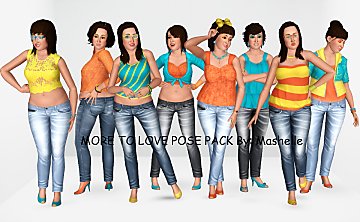
This set came about after a friend requested a few modeling poses for larger ladies. I said I'd try to help, even I'm not good at modeling poses. I only threw my mouse once and I didn't scream at Blender (much), so I'll deem this project a success. :D
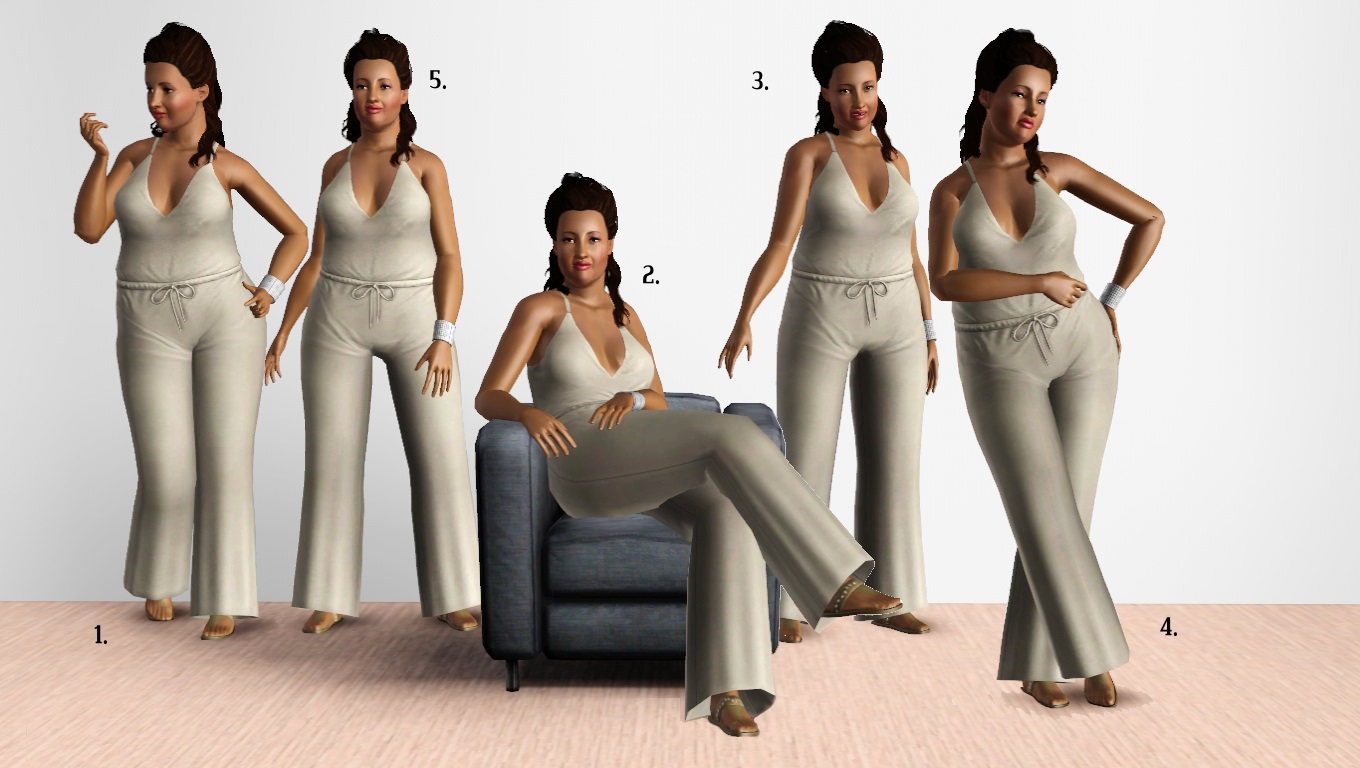
Pose tags are as follows:
a_splad_biggurlluv_1 -- standing on one leg, looking nails.
a_splad_biggurlluv_2 -- sitting in a chair.
a_splad_biggurlluv_3 -- standing with right arm out to the side.
a_splad_biggurlluv_4 -- leaning against an object/wall/sim.
a_splad_biggurlluv_5 -- standing with arms swinging.
Known issues:
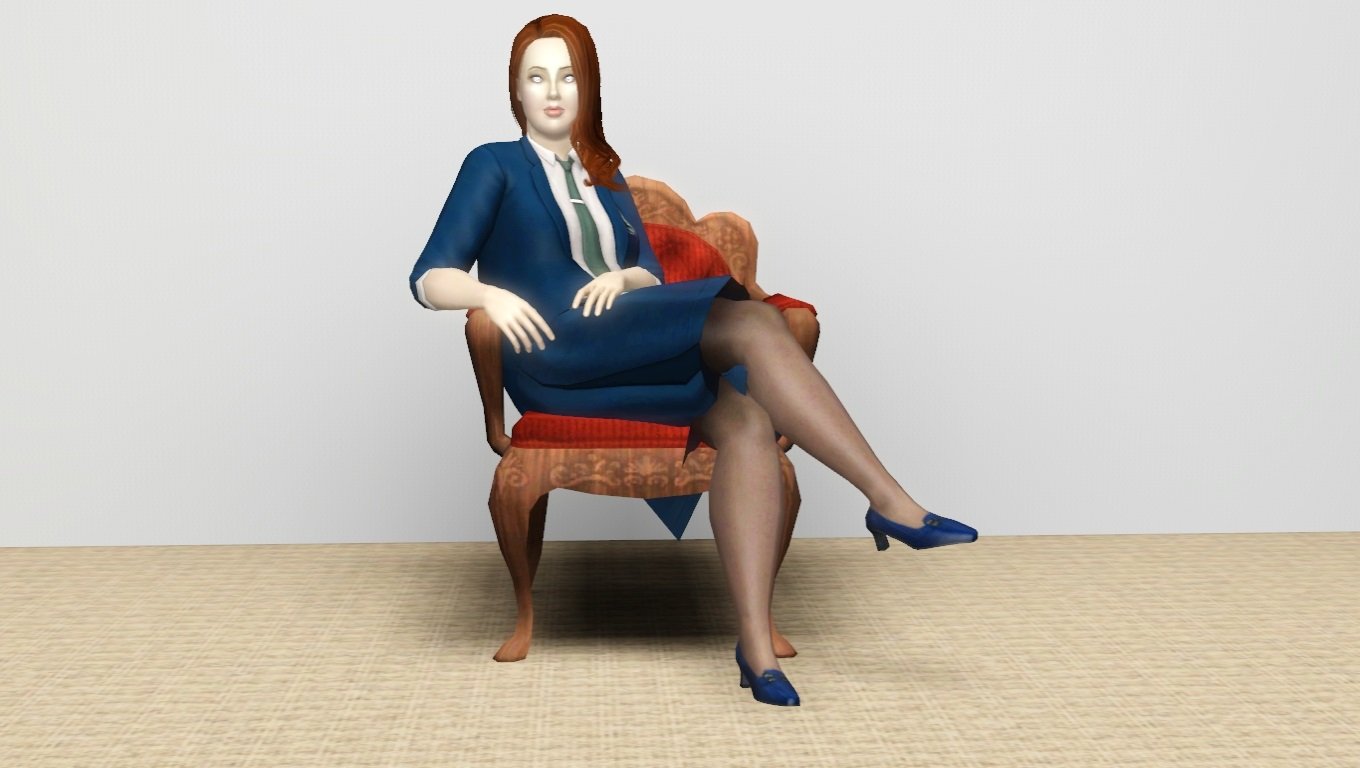
As usual, skirt warps with crossed legs--it's fairly noticeable on pose 2. (It is visible on pose 4 as well, but not quite as much.)
Additional Credits:
Blender/Milkshape, for playing nicely together.
Cmomoney for the incredible Pose Player
OrangeMittens for the excellent "Creating Your Own Custom Poses" tutorial
WesHowe for the AnimTool
Mesher for the child rigs
Inge Jones for S3PE and the rest of the Sims community at large for assistance and encouragement.
|
Big Gurl Luv.rar
Download
Uploaded: 27th Feb 2014, 50.4 KB.
3,346 downloads.
|
||||||||
| For a detailed look at individual files, see the Information tab. | ||||||||
Install Instructions
1. Click the file listed on the Files tab to download the file to your computer.
2. Extract the zip, rar, or 7z file. Now you will have either a .package or a .sims3pack file.
For Package files:
1. Cut and paste the file into your Documents\Electronic Arts\The Sims 3\Mods\Packages folder. If you do not already have this folder, you should read the full guide to Package files first: Sims 3:Installing Package Fileswiki, so you can make sure your game is fully patched and you have the correct Resource.cfg file.
2. Run the game, and find your content where the creator said it would be (build mode, buy mode, Create-a-Sim, etc.).
For Sims3Pack files:
1. Cut and paste it into your Documents\Electronic Arts\The Sims 3\Downloads folder. If you do not have this folder yet, it is recommended that you open the game and then close it again so that this folder will be automatically created. Then you can place the .sims3pack into your Downloads folder.
2. Load the game's Launcher, and click on the Downloads tab. Find the item in the list and tick the box beside it. Then press the Install button below the list.
3. Wait for the installer to load, and it will install the content to the game. You will get a message letting you know when it's done.
4. Run the game, and find your content where the creator said it would be (build mode, buy mode, Create-a-Sim, etc.).
Extracting from RAR, ZIP, or 7z: You will need a special program for this. For Windows, we recommend 7-Zip and for Mac OSX, we recommend Keka. Both are free and safe to use.
Need more help?
If you need more info, see:
- For package files: Sims 3:Installing Package Fileswiki
- For Sims3pack files: Game Help:Installing TS3 Packswiki
Loading comments, please wait...


Uploaded: 27th Feb 2014 at 10:56 PM
#pose, #poses, #modeling, #modeling poses, #big sim, #fat sim, #plus size sim, #plus size sim modeling poses

-
-
-

by spladoum 14th Jan 2018 at 8:38pm
This is another (very) long-term project that I just got the energy and motivation to complete. more...
 14
49.9k
76
14
49.9k
76
Male » Everyday » Young Adult
-
The Boss: Late Night Skinny Tie Alteration. Default/Non-Default.
by spladoum 3rd Nov 2014 at 12:58pm
So for the longest time, I've been wondering why all of the ties in the game were either hand-painted, or more...
+1 packs
14 29.2k 88 Late Night
Male » Everyday » Young Adult
-
Dirty -- 11 exotic dancing poses
by Puss 'N Heels 22nd Jul 2014 at 12:24pm
Shake it, shake it, shake it like a Polaroid picture! more...
13
79.5k
146
-
Lucy Van Pelt -- from "Peanuts"
by spladoum 11th Jan 2016 at 6:57pm
For the January item theme of "Tv/Film/Movies," I give you Lucy Van Pelt, of the "Peanuts" comic, (in)famous more...
5
14.5k
26
-
Are You Sick, Kiddo?--5 child/adult poses
by spladoum 27th Nov 2016 at 2:43am
This is a set that I have quite literally been intending to make for years. more...
9
28.5k
56
-
Hello Officer--a BG-compatible outfit
by spladoum 17th Jul 2016 at 2:54am
I'm back, with another frankenmeshed monstrosity! more...
20
50.5k
80
-
-