Sign in to Mod The Sims
 I'm the Big Sister -- a child/toddler pose set
 I'm the Big Sister -- a child/toddler pose set


Title Screen.jpg - width=1100 height=621
Screenshot-11432.jpg - width=1100 height=675
Screenshot-11434.jpg - width=1100 height=675
Screenshot-11437.jpg - width=1100 height=675
Screenshot-11440.jpg - width=1100 height=675
Screenshot-11444.jpg - width=1100 height=621
Screenshot-11447.jpg - width=1100 height=675
Screenshot-11449.jpg - width=1100 height=675
Screenshot-11453.jpg - width=1100 height=675
Pose List.jpg - width=660 height=511


I finally called a truce to my feud with Blender because I needed some child/toddler interactive poses for one of my stories. I think I just needed two, but as usual I went overboard :P
(By the way, if you've never seen this video, go watch and squee. Don't worry, I'll wait right here til you come back.)
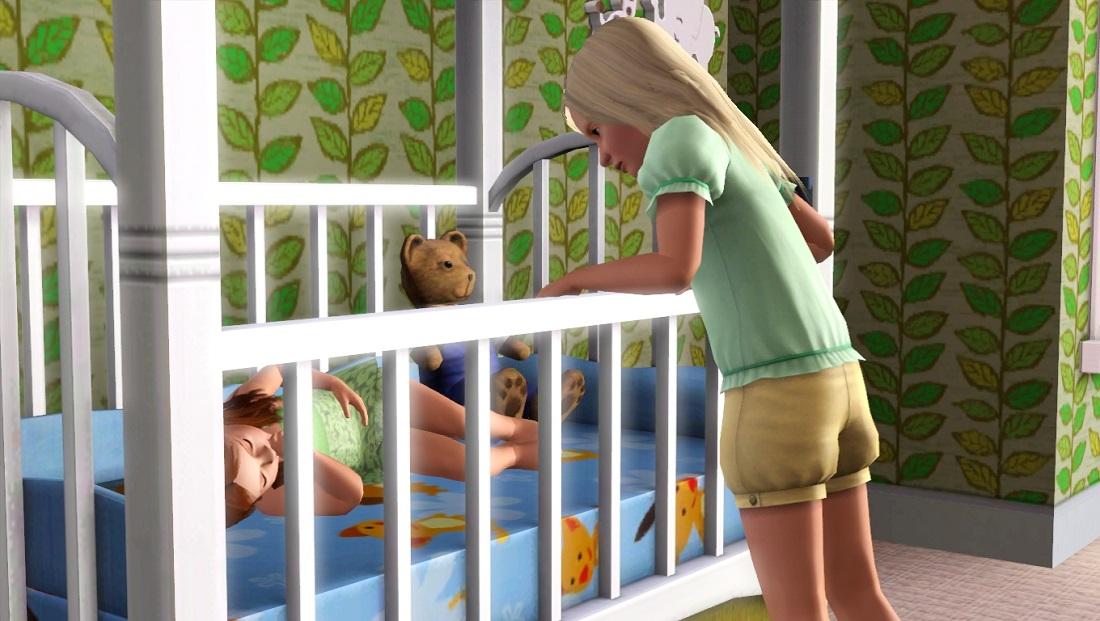
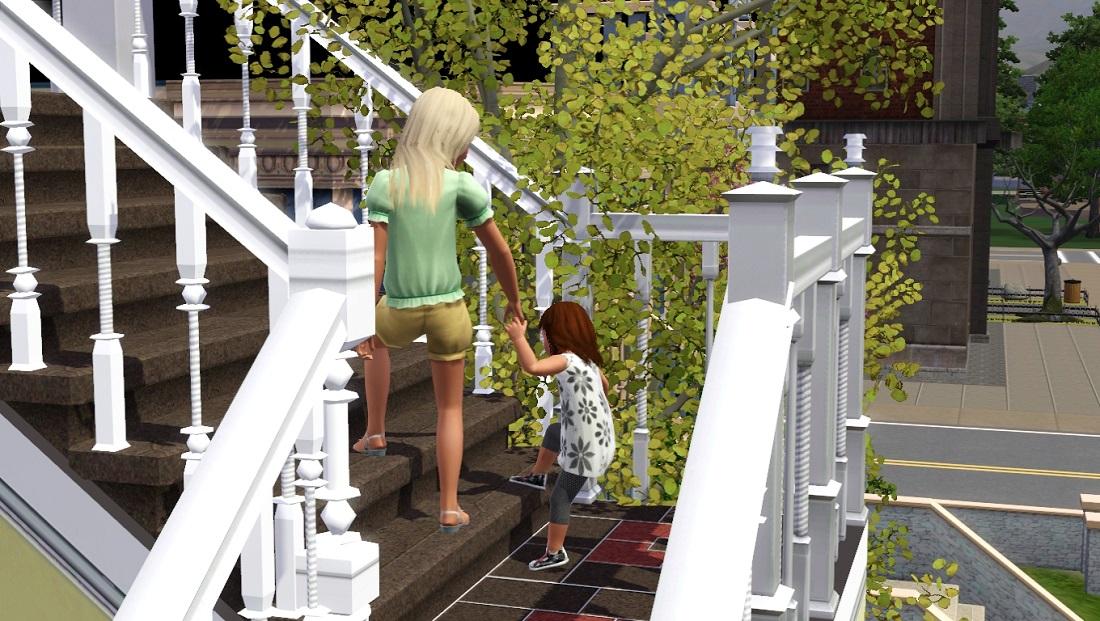
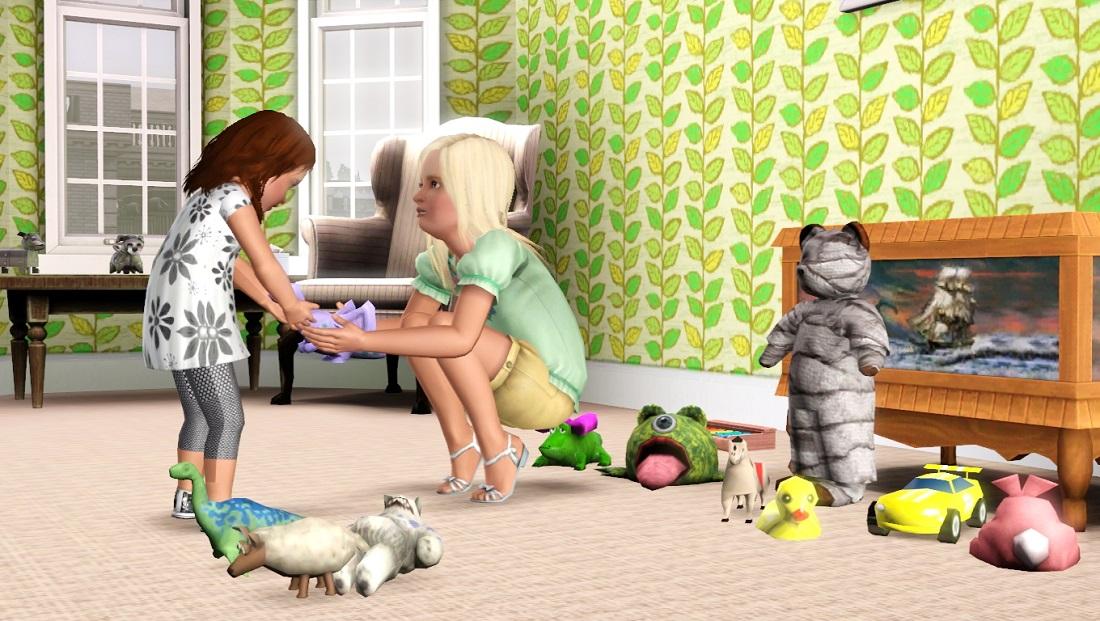
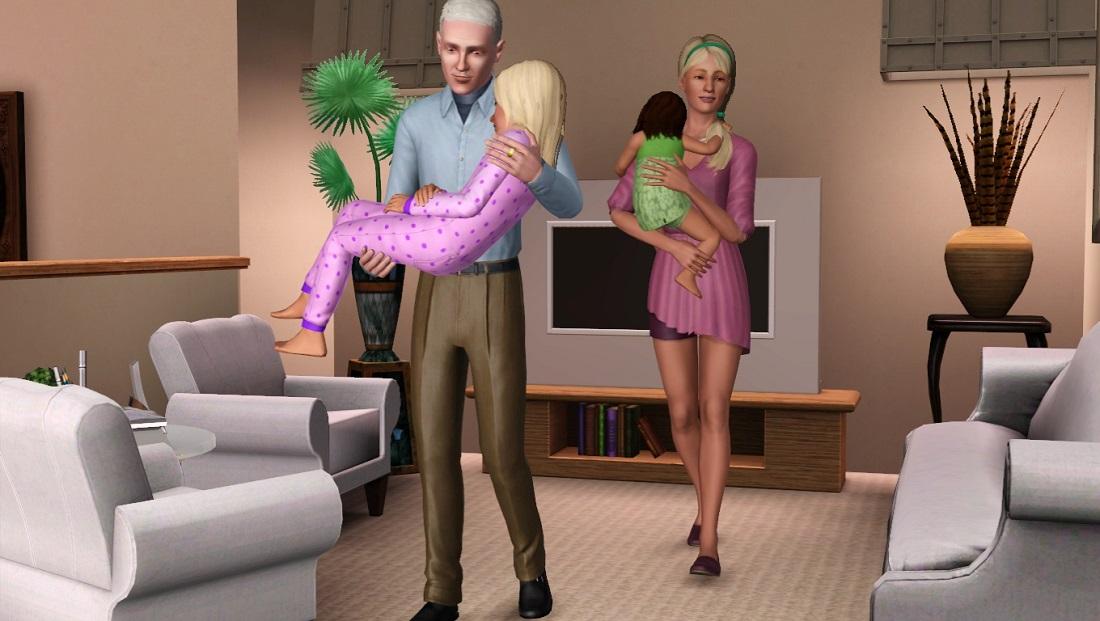
Pose tags are as follows:
"Wake up!"
p_splad_bigsis1 (toddler)
c_splad_bigsis1 (child)
"I found your toy!"
p_splad_bigsis2 (toddler)
c_splad_bigsis2 (child)
*Note: you will need an OMSP to put a toy in the child's hands.
"Ooooooh."
p_splad_bigsis3 (toddler)
c_splad_bigsis3 (child)
*Note: you will need an OMSP to put a toy in the toddler's hands.
Oh dear. Well, it was bound to happen eventually ...
p_splad_bigsis4 (toddler)
c_splad_bigsis4 (child)
You can do it!
p_splad_bigsis5 (toddler)
c_splad_bigsis5 (child)
You can do this too ... but you probably shouldn't ...
p_splad_bigsis6 (toddler)
c_splad_bigsis6 (child)
Time to watch Finding Nemo again ... for the fiftieth time ...
p_splad_bigsis7 (toddler)
c_splad_bigsis7 (child)
Didn't make it through the movie. Oh well. Try again tomorrow.
p_splad_bigsis8 (toddler)
c_splad_bigsis8 (child)
a_splad_bigsis_toddlercarry
a_splad_bigsis_childcarry
Known issues:
While testing this set, I noticed that the child and toddler are very likely to be looking the wrong way when they pose. If that happens, just re-enter the pose and they should snap correctly.
Teenagers cannot use the "toddler carry" pose. The toddler will be floating above the teen's shoulder and they won't line up. Sorry.
 They can use the "child carry" pose, as the floating is not nearly as visible.
You will have to use "moveobjects on" to place the sims in position. Once you cancel the poses, the sims will lump together as usual. This is okay! Direct them to walk away from each other and all will be well.
Additional Credits:
K2m1too, for posting a tip that helped me use Blender effectively. Without it, this set would be in the trash.
Cmomoney for the incredible Pose Player
OrangeMittens for the excellent "Creating Your Own Custom Poses" tutorial
WesHowe for the AnimTool
atavera and Mesher for the AF/child/toddler rigs
Inge Jones for S3PE
|
Big Sister.rar
Download
Uploaded: 4th Jul 2013, 118.6 KB.
29,223 downloads.
|
||||||||
| For a detailed look at individual files, see the Information tab. | ||||||||
Install Instructions
1. Click the download button, or the filename, to download the file to your computer.
2. Extract the zip, rar, or 7z file. Now you will have either a .package or a .sims3pack file.
For Package files:
1. Cut and paste the file into your Documents\Electronic Arts\The Sims 3\Mods\Packages folder. If you do not already have this folder, you should read the full guide to Package files first: Sims 3:Installing Package Fileswiki, so you can make sure your game is fully patched and you have the correct Resource.cfg file.
2. Run the game, and find your content where the creator said it would be (build mode, buy mode, Create-a-Sim, etc.).
For Sims3Pack files:
1. Cut and paste it into your Documents\Electronic Arts\The Sims 3\Downloads folder. If you do not have this folder yet, it is recommended that you open the game and then close it again so that this folder will be automatically created. Then you can place the .sims3pack into your Downloads folder.
2. Load the game's Launcher, and click on the Downloads tab. Find the item in the list and tick the box beside it. Then press the Install button below the list.
3. Wait for the installer to load, and it will install the content to the game. You will get a message letting you know when it's done.
4. Run the game, and find your content where the creator said it would be (build mode, buy mode, Create-a-Sim, etc.).
Extracting from RAR, ZIP, or 7z: You will need a special program for this. For Windows, we recommend 7-Zip and for Mac OSX, we recommend Keka. Both are free and safe to use.
Need more help?
If you need more info, see:
- For package files: Sims 3:Installing Package Fileswiki
- For Sims3pack files: Game Help:Installing TS3 Packswiki
Loading comments, please wait...


Uploaded: 4th Jul 2013 at 6:46 PM
Updated: 6th Jul 2013 at 12:05 PM
#pose, #poses, #child poses, #toddler poses, #big sister


-

-
Color of Night -- A ninja pose set
by spladoum 26th Jan 2012 at 7:09pm
Everyone was kung-fu fighting ... haaaaaaa ... more...
 23
51.4k
80
23
51.4k
80
-
-
-
An Angel/Devil on Your Shoulder
by spladoum 8th Jan 2014 at 2:37am
... which way you gonna go? more...
10
36.3k
64
-
Are You Sick, Kiddo?--5 child/adult poses
by spladoum 27th Nov 2016 at 1:43am
This is a set that I have quite literally been intending to make for years. more...
9
28.8k
56
-

-
-
Dad Shorts -- 4 embarrassing outfits! BG-compatible!
by spladoum 11th Apr 2016 at 6:40am
I haven't the first idea what inspired me to work on this bane of suburbia, the Dad Who Doesn't Know more...
9
25.3k
69
Male » Everyday » Young Adult
-