
 Sign in to Mod The Sims
 Rustic Wall Bookshelf
 Rustic Wall Bookshelf


bookshelf-wall_rustic_piemenu.jpg - width=900 height=680
bookshelf-wall_rustic_01.jpg - width=1020 height=780
bookshelf-wall_rustic_02.jpg - width=1020 height=780
bookshelf-wall_rustic_03.jpg - width=1020 height=780
bookshelf-wall_rustic_04.jpg - width=1020 height=780
bookshelf-wall_rustic_in-game-1.jpg - width=1020 height=780
bookshelf-wall_rustic_in-game-all.jpg - width=1020 height=780
bookshelf-wall_rustic_cat.jpg - width=1205 height=480
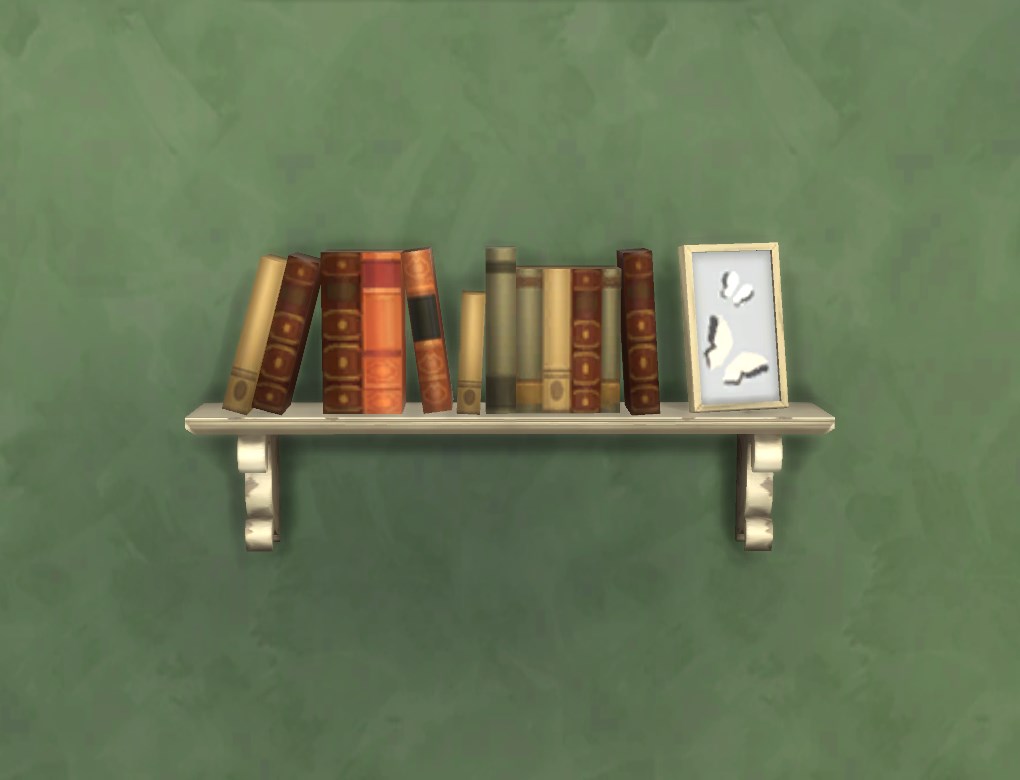
Nine colour variants (all referenced from the “Rustic” shelf, including the one that is unavailable by default), available in Bookcases for 155§. One slot for small deco items.
The shelf sits pretty low on the wall by default; that’s on purpose: it needs to have a fixed height so the routing won’t break in basements, and if you turn on moveobjects and use the 0/9 keys, you can move it up in Build/Buy (you can’t move it lower than the default height though, so I put it this low so it’s at least a little flexible). The screenshot with the little girl shows the lowermost height that is possible (1m). This also aligns with the default placement of the matching wall shelf.
Note that this shelf behaves exactly like the Maxis “Intellectual Illusion”. Currently this means that when e.g. clicking on the shelf and telling a sim to Read Something, they may very well go to a different bookcase and grab their book from there. This is simply how the game works at the moment -- this object does not change anything about that. If you think you have routing issues, please test first whether they also occur with the Maxis shelf before posting here.
Also, if you have an old version of my “Subordinate” etc Intellectual book cases, you should update that (sims may go to that one to take a book from, and the old version had an issue with TVs on top, so with the old version they can reset. That’s been fixed a long time ago though).
The unlocked colour variant for the display shelf (i.e. the Maxis one) is available here (Rustic Wall Shelf Shadow Fix + Missing Colour -- this also makes the wallshadow look like on this bookshelf).
Polygon Counts:
High Poly: 540V/416F
Mid Poly: 445V/324F
Low Poly: 410V/292F
High Poly Sun Shadow: 230V/282F
Low Poly Sun Shadow: 214V/250F
blender, TSRW/Milkshape, s4pe. Special thanks to Nuliette and K9DB for being very thorough testers, that was really helpful!
This is a new mesh, and means that it's a brand new self contained object that usually does not require a specific Pack (although this is possible depending on the type). It may have Recolours hosted on MTS - check below for more information.
|
pbox_bookshelf-wall_rustic.zip
Download
Uploaded: 5th Mar 2016, 29.4 KB.
34,186 downloads.
|
||||||||
| For a detailed look at individual files, see the Information tab. | ||||||||
Install Instructions
1. Download: Click the File tab to see the download link. Click the link to save the .rar or .zip file(s) to your computer.
2. Extract: Use 7zip (Windows) to extract the file(s) from the .rar or .zip file(s).
3. Cut and paste the file(s) into your Mods folder
Need more information?
- My Documents\Electronic Arts\The Sims 4\Mods\
- Anyone can use both .rar and .zip files easily! On Windows, use 7zip!
- If you don't have a Mods folder, just make one.
Loading comments, please wait...


Uploaded: 5th Mar 2016 at 11:15 PM
-
by plasticbox 15th Jul 2015 at 2:17pm
 5
21.9k
106
5
21.9k
106
-
by plasticbox 27th Jul 2015 at 1:18am
8
22.9k
113
-

by Fresh-Prince 23rd Aug 2015 at 8:56pm
24
24.1k
89
-
by plasticbox 17th Feb 2016 at 2:06pm
17
62.1k
214
-
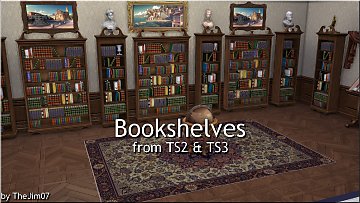
by TheJim07 17th Feb 2018 at 9:55am
9
31.6k
110
-
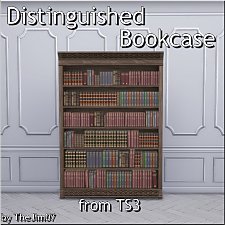
-
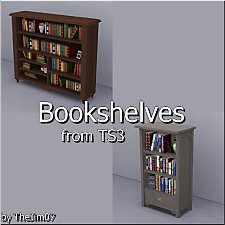
by TheJim07 6th Aug 2019 at 10:44pm
6
17.2k
70
-
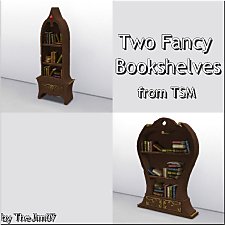
by TheJim07 19th Oct 2019 at 3:37pm
10
16.7k
59
-
Cube to the Cube Bookshelf *Emptied and Recoloured
by Lierie 6th Dec 2019 at 9:11pm
+1 packs
5 6.8k 17 Discover University
-
by Staberinde 5th May 2021 at 5:57pm
7
9.3k
29


-
by plasticbox 23rd Aug 2015 at 11:05pm
This is a simplified version of the Maxis “Mega (Basic)” column. more...
16
74.3k
130
-
Texture overrides for “Baby’s First” Wastebasket
by plasticbox 26th Feb 2015 at 12:31am
Texture overrides for the “Baby’s First” Wastebasket that get rid of the deco and make this a more universally useable more...
3
12.1k
51
-

by plasticbox updated 10th Jul 2015 at 9:13pm
The kids will get a sunburn if they keep running around in mini skirts all summer! more...
-
by plasticbox 24th Jan 2015 at 8:13pm
Override for the “Harbinger” cabinets that changes the shader used on them so that they are rendered like the counters. more...
-
Backdoor Lane 30 -- Two houses
by plasticbox 29th Apr 2007 at 6:16pm
Nightlife, OfB, and Seasons required. more...
 +3 packs
9 17.8k 12
+3 packs
9 17.8k 12 Nightlife
 Open for Business
 Seasons
-
by plasticbox 16th Apr 2015 at 10:55am
An unobtrusive desk that is suitable for all kinds of contexts, matching the Boring Dresser , Boring Nightstand and more...
17
34.8k
153
By Function » Surfaces » Desks
-
Newbie Road 166 -- Base Game Mini Starter, no CC
by plasticbox 28th Oct 2008 at 6:19pm
No EPs required. more...
7
16.1k
16
-
Newbie Road 26 - Starter House
by plasticbox 14th Dec 2005 at 7:52pm
Title: Newbie Road 26 Category: Lots & Housing > Residential > Starter Homes Cost: 19.985 Lot size: 2x2 more...
+1 packs
20 11.8k 6 Nightlife
-
by plasticbox 19th Apr 2015 at 2:12am
This overrides the Maxis “Termagant” chair to turn that fugly monster into something that actually resembles a chair. more...
-
by plasticbox 21st Jun 2015 at 3:15pm
This is a single crate from one of the Maxis neighbourhood objects (Wooden Crates, available for Build/Buy in this upload more...
12.5k
65


About Me
– Feel free to recycle, you don’t need to ask.
– For the attribution, please link to the upload you’re using wherever possible (instead of my profile). This is particularly important with edits made for/with different games or game versions.
– If you use my stuff in something you make, please upload the result to a free, accessible, noncommercial site with no more restrictions than these. Code must remain open source; meshes and other material must remain re-usable.
Please do not redistribute any unmodified files – link to the upload post instead.