
 Sign in to Mod The Sims
 [CEP Extra] FT Koi Pond
 [CEP Extra] FT Koi Pond


koi pond thumb.jpg - width=256 height=256
koi pond.jpg - width=1280 height=800
koi pond 2.jpg - width=1280 height=800

This can't have an invisible recolor for grass bits as it turns blue. This is because it "hides" the floor when placed to cut out for the pond portion.
 Installation
HL_CEP_ft_careerKoiPond - Install this in \Documents\EA Games\The Sims 2\zCEP-EXTRA
HL_CEP_ft_careerKoiPond-pfiles - Install this in C:\Program Files (x86)\EA GAMES\The Sims 2\TSData\Res\Catalog\zCEP-EXTRA.
| Filename | Type | Size |
|---|---|---|
| HL_CEP_ft_careerKoiPond.7z | 7z | |
| HL_CEP_ft_careerKoiPond-pfiles.package | package | 972 |
| koi pond 2.jpg | jpg | 439955 |
| koi pond thumb.jpg | jpg | 40021 |
| koi pond.jpg | jpg | 543109 |
| HL_CEP_ft_careerKoiPond.package | package | 136056 |
|
HL_CEP_ft_careerKoiPond.7z
Download
Uploaded: 30th Oct 2022, 1.06 MB.
1,650 downloads.
|
||||||||
| For a detailed look at individual files, see the Information tab. | ||||||||
Install Instructions
1. Download: Click the download link to save the .rar or .zip file(s) to your computer.
2. Extract the zip, rar, or 7z file.
3. Place in Downloads Folder: Cut and paste the .package file(s) into your Downloads folder:
- Origin (Ultimate Collection): Users\(Current User Account)\Documents\EA Games\The Sims™ 2 Ultimate Collection\Downloads\
- Non-Origin, Windows Vista/7/8/10: Users\(Current User Account)\Documents\EA Games\The Sims 2\Downloads\
- Non-Origin, Windows XP: Documents and Settings\(Current User Account)\My Documents\EA Games\The Sims 2\Downloads\
- Mac: Users\(Current User Account)\Documents\EA Games\The Sims 2\Downloads
- Mac x64: /Library/Containers/com.aspyr.sims2.appstore/Data/Library/Application Support/Aspyr/The Sims 2/Downloads
- For a full, complete guide to downloading complete with pictures and more information, see: Game Help: Downloading for Fracking Idiots.
- Custom content not showing up in the game? See: Game Help: Getting Custom Content to Show Up.
- If you don't have a Downloads folder, just make one. See instructions at: Game Help: No Downloads Folder.
Loading comments, please wait...


 View with Names
Uploaded: 10th Jul 2022 at 11:20 PM
Updated: 30th Oct 2022 at 6:31 PM
-
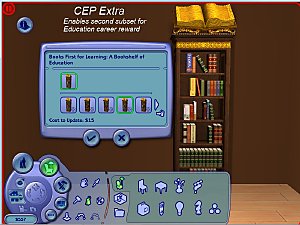
Books First for Learning - [CEP Extra]
by dharden updated 1st Jan 2019 at 12:43am
 +1 packs
3 12k 18
+1 packs
3 12k 18 Seasons
-
by HugeLunatic 19th Jun 2017 at 4:17pm
4
14.2k
22
-
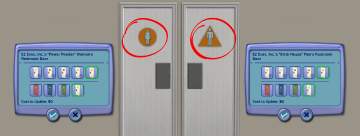
Restroom doors, the second - CEP extra and icon recolours
by sam&skye 11th Feb 2018 at 7:27pm
5
10.7k
24
-
by HugeLunatic updated 2nd Apr 2024 at 11:12am
+1 packs
8 26.6k 12 Apartment Life
-
by HugeLunatic 18th Nov 2018 at 5:07pm
4
12.8k
26
-
by HugeLunatic updated 24th Jun 2021 at 10:40pm
+1 packs
14 24.4k 44 Kitchen & Bath
-
by HugeLunatic 1st Feb 2019 at 1:58pm
+1 packs
3 13.2k 28 Bon Voyage
-
Mr. Generic's Sign [CEP-Extra]
by HugeLunatic 25th Jun 2020 at 5:25pm
+1 packs
4 5.4k 15 Open for Business
-
by HugeLunatic updated 12th Nov 2022 at 6:28pm
+1 packs
6 3.4k 13 Free Time
-


-
by HugeLunatic 23rd Jul 2009 at 1:26am
A new dining set I have been working on for a while. more...
-


by HugeLunatic 22nd May 2026 at 4:41pm
3.4k
1
-
by HugeLunatic 7th Mar 2010 at 5:45pm
I found a counter at Garden Breeze that I loved. more...
-
C-C-C-Chandelower - Lighting Fix
by HugeLunatic updated 17th Jul 2020 at 3:21pm
This fixes the height of the light cast by the M&G two story chandelier. more...
+1 packs
5 9.5k 41 Mansion and Garden
-
Late Night - Buyable Mailbox and Trash Chute
by HugeLunatic 3rd Nov 2010 at 7:05pm
This requires Late Night! more...
 +1 packs
97 173k 278
+1 packs
97 173k 278 Late Night
-
by HugeLunatic 3rd Nov 2010 at 7:15pm
Peony Heights Requires Late Night!! more...
+5 packs
16 28.5k 21 World Adventures
 High-End Loft Stuff
 Ambitions
 Fast Lane Stuff
Late Night
Fast Lane Stuff
Late Night
-
-
by HugeLunatic 8th May 2018 at 10:57pm
One of the very few items I like from TS4, and I really wanted for TS2. more...
8.4k
17
-
Futur-Nu Prime by Zuper Tech [CEP-EXTRA]
by HugeLunatic updated 30th Nov 2014 at 9:29pm
This enables the second subset for the door. Now both the door and frame are recolorable separately. more...
+1 packs
4 11.7k 21 Pets
Pets
-
by HugeLunatic updated 2nd Apr 2024 at 11:12am
The cute little alien sculpture from AL made recolorable, because maybe in your world aliens are not green. more...
+1 packs
8 26.6k 12 Apartment Life


Packs Needed
| Base Game | |
|---|---|
| Sims 2 |
| Expansion Pack | |
|---|---|
| Free Time |
About Me
Pet Stories || Dog Agility Items? || Castaway Stories || Holy Simoly Extras
4esf Archive || Holy Simoly Archive || CEP-Extras List || Buyable Game Objects
lunie content from GoS/s2a
Installation of CEP Extras-the package with pfiles appended to the name will go into your cep extras folder where your game is installed (typically c drive, you do you)
-the other goes in CEP extra folder in documents.
The following locations are what I am aware of, beyond that you'll have to do some searching.
Downloads Folder:
C:\Users\<user>\Documents\EA Games\The Sims 2 Legacy
C:\Users\<user>\Documents\EA Games\The Sims 2 Ultimate Collection
With multiple launchers, the location for your game install will vary.
C:\Program Files\EA GAMES\The Sims 2 Legacy\TSData\Res\Catalog\zCEP-EXTRA
C:\Program Files\EA GAMES\The Sims 2\TSData\Res\Catalog\zCEP-EXTRA
C:\Program Files (x86)\EA GAMES\The Sims 2\TSData\Res\Catalog\zCEP-EXTRA