
 Sign in to Mod The Sims
 [CEP-Extra] Concrete Chess Table
 [CEP-Extra] Concrete Chess Table


chess-table-index.jpg - width=256 height=256
chess-table.jpg - width=1436 height=1160
chess-table-invisible.jpg - width=1436 height=1160

Notes:
- The timer is part of the leg subset so that part can be invisible as well
- I had to edit the shadow texture to remove the post part so my invisible recolor wouldn't have a phantom leg shadow
- Included an invisible recolor of the leg
- Needs moveobjects cheat to place over other tables, sims will still use those table slots unless you use a slot blocker
 Installation
So with the EA app we have yet another install location, in addition to disks, UC, collections, and any version downloaded somewhere that is not from EA.
-the package with pfiles appended to the name will go into your CEP extras folder where your game is installed (typically c drive, you do you)
-the other goes in CEP extra folder in documents.
| Filename | Type | Size |
|---|---|---|
| HL-CEP-bg-chessboardConcrete.7z | 7z | |
| HL-CEP-bg-chessboardConcrete.package | package | 67856 |
| HL-CEP-bg-chessboardConcrete-pfiles.package | package | 525 |
| HL_chessboardConcrete-inv-base.package | package | 2563 |
|
HL-CEP-bg-chessboardConcrete.7z
Download
Uploaded: 17th Apr 2023, 16.8 KB.
1,148 downloads.
|
||||||||
| For a detailed look at individual files, see the Information tab. | ||||||||
Install Instructions
1. Download: Click the download link to save the .rar or .zip file(s) to your computer.
2. Extract the zip, rar, or 7z file.
3. Place in Downloads Folder: Cut and paste the .package file(s) into your Downloads folder:
- Origin (Ultimate Collection): Users\(Current User Account)\Documents\EA Games\The Sims™ 2 Ultimate Collection\Downloads\
- Non-Origin, Windows Vista/7/8/10: Users\(Current User Account)\Documents\EA Games\The Sims 2\Downloads\
- Non-Origin, Windows XP: Documents and Settings\(Current User Account)\My Documents\EA Games\The Sims 2\Downloads\
- Mac: Users\(Current User Account)\Documents\EA Games\The Sims 2\Downloads
- Mac x64: /Library/Containers/com.aspyr.sims2.appstore/Data/Library/Application Support/Aspyr/The Sims 2/Downloads
- For a full, complete guide to downloading complete with pictures and more information, see: Game Help: Downloading for Fracking Idiots.
- Custom content not showing up in the game? See: Game Help: Getting Custom Content to Show Up.
- If you don't have a Downloads folder, just make one. See instructions at: Game Help: No Downloads Folder.
Loading comments, please wait...


Uploaded: 17th Apr 2023 at 11:46 PM
-
by gdayars 28th Oct 2017 at 12:10am
 6
13.7k
32
-
by HugeLunatic updated 2nd Apr 2024 at 11:12am
+1 packs
8 26.6k 12 Apartment Life
-
by HugeLunatic 1st Feb 2019 at 1:58pm
+1 packs
3 13.2k 28 Bon Voyage
-
by HugeLunatic updated 8th May 2019 at 7:31pm
+1 packs
2 9.9k 26 Apartment Life
-
by HugeLunatic updated 17th Sep 2019 at 8:48pm
+1 packs
8 11.9k 36 University
-
-
-
[CEP Extra] OFB Central Asian Armoire
by HugeLunatic 27th Mar 2022 at 8:45pm
+1 packs
2 3.3k 10 Open for Business
-
by Honeywell 18th Jun 2022 at 3:48am
16
19k
91
-


-
by HugeLunatic updated 14th Apr 2008 at 8:34am
Updated 23-Dec-09 This set is now slaved. The master mesh is the bookcase. more...
-
by HugeLunatic 27th Feb 2014 at 4:56pm
I've always liked the style of this gate, but the lack of recolors and lack of proper subsets means I've more...
6
11.4k
21
-
[Recolorable] - Maxis Modular Stairs - I
by HugeLunatic updated 31st Jan 2018 at 1:19pm
After a recent post I realized that I had other modular stairs that I had made recolorable, only they hadn't more...
42
187k
348
-
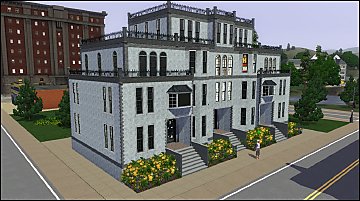
by HugeLunatic 3rd Nov 2010 at 7:15pm
Peony Heights Requires Late Night!! more...
 +5 packs
16 28.5k 21
 World Adventures
 High-End Loft Stuff
 Ambitions
 Fast Lane Stuff
 Late Night
-
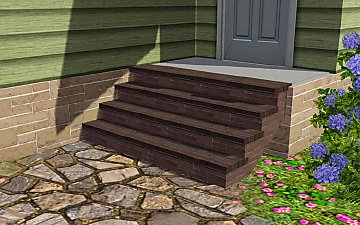
Recolor Your Stairs!! *Updated*
by HugeLunatic 15th Oct 2009 at 9:33pm
Updated Oct-16 - Fixed issue with Sims not using the stair properly. Non-recolorable stairs...what a giant step backwards. more...
41
64.3k
107
-
by HugeLunatic 15th Sep 2020 at 9:24pm
A few doors that I wanted for my game, one with the inset a quarter solid, three quarter solid, and more...
10
9.4k
34
-
by HugeLunatic updated 5th Jun 2012 at 6:12am
What this mod does This fix will allow you to shift all wall cabinets by EA (EP/SP only) up/down the more...
-
by HugeLunatic 2nd Oct 2012 at 3:58pm
M&G added the ability to recolor the mailboxin game along with a few recolors. more...
+1 packs
13 22.2k 40 Mansion and Garden
-
Cradle of Civilization Sofa Fix
by HugeLunatic 16th Jul 2010 at 5:19pm
The shape of the sofa that came with WA is rather nice, except for the odd stenciled squares on the more...
+1 packs
37 38k 92 World Adventures
-
by HugeLunatic 12th Aug 2009 at 5:38pm
After this window, it's amazing I have any hair left. more...
56
159.2k
246


About Me
Pet Stories || Dog Agility Items? || Castaway Stories || Holy Simoly Extras
4esf Archive || Holy Simoly Archive || CEP-Extras List || Buyable Game Objects
lunie content from GoS/s2a
Installation of CEP Extras-the package with pfiles appended to the name will go into your cep extras folder where your game is installed (typically c drive, you do you)
-the other goes in CEP extra folder in documents.
The following locations are what I am aware of, beyond that you'll have to do some searching.
Downloads Folder:
C:\Users\<user>\Documents\EA Games\The Sims 2 Legacy
C:\Users\<user>\Documents\EA Games\The Sims 2 Ultimate Collection
With multiple launchers, the location for your game install will vary.
C:\Program Files\EA GAMES\The Sims 2 Legacy\TSData\Res\Catalog\zCEP-EXTRA
C:\Program Files\EA GAMES\The Sims 2\TSData\Res\Catalog\zCEP-EXTRA
C:\Program Files (x86)\EA GAMES\The Sims 2\TSData\Res\Catalog\zCEP-EXTRA