
 Sign in to Mod The Sims
 Neon Pool Lights
 Neon Pool Lights


pool-light-1.jpg - width=1024 height=800
pool-light-3.jpg - width=1024 height=800
pool-light-2.jpg - width=1024 height=800
pool-light-4.jpg - width=1024 height=800
pool-light-5.jpg - width=1024 height=800
pool-light-6.jpg - width=1024 height=800
pool-light-7.jpg - width=1024 height=800

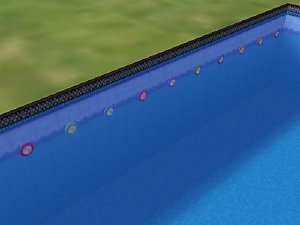
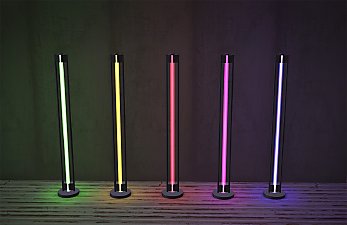
There are three lights here, all of them are repo'd to their NL's respective wall light. So if you have replaced or edited the nlo's for your NL lighting, then these lights will give the same color/glow as whatever your wall lights do. The disk light gives a more intense glow than the neon tubes, this is due to the values in the nlo files.
polys
446 - disk
258 - neon straight
494 - neon wave
A tutorial to create pool lights as well as custom lights with custom nlo's will be coming.
| Filename | Type | Size |
|---|---|---|
| HL_poolLights.7z | 7z | |
| HL_nl-lightNeonTubesPools-straight.package | package | 34166 |
| HL_nl-lightNeonTubesPools-wave.package | package | 38143 |
| HL_nl-lightWallNightClubDiskPools.package | package | 73275 |
|
HL_poolLights.7z
Download
Uploaded: 22nd Sep 2022, 21.3 KB.
1,531 downloads.
|
||||||||
| For a detailed look at individual files, see the Information tab. | ||||||||
Install Instructions
1. Download: Click the download link to save the .rar or .zip file(s) to your computer.
2. Extract the zip, rar, or 7z file.
3. Place in Downloads Folder: Cut and paste the .package file(s) into your Downloads folder:
- Origin (Ultimate Collection): Users\(Current User Account)\Documents\EA Games\The Sims™ 2 Ultimate Collection\Downloads\
- Non-Origin, Windows Vista/7/8/10: Users\(Current User Account)\Documents\EA Games\The Sims 2\Downloads\
- Non-Origin, Windows XP: Documents and Settings\(Current User Account)\My Documents\EA Games\The Sims 2\Downloads\
- Mac: Users\(Current User Account)\Documents\EA Games\The Sims 2\Downloads
- Mac x64: /Library/Containers/com.aspyr.sims2.appstore/Data/Library/Application Support/Aspyr/The Sims 2/Downloads
- For a full, complete guide to downloading complete with pictures and more information, see: Game Help: Downloading for Fracking Idiots.
- Custom content not showing up in the game? See: Game Help: Getting Custom Content to Show Up.
- If you don't have a Downloads folder, just make one. See instructions at: Game Help: No Downloads Folder.
Loading comments, please wait...


 View with Names
Uploaded: 22nd Sep 2022 at 1:12 PM
#neon, #pool, #pool lights, #glow, #glow in the dark
-
-
-
-
by simbot1234 24th Aug 2005 at 5:34am
 31
18.5k
5
31
18.5k
5
-
-
-
-
by Chiklia 20th Feb 2016 at 8:43am
1
6.5k
25
-
by d4RE updated 16th Nov 2017 at 3:09am
13
9.7k
36
-
by PineappleForest 3rd Feb 2022 at 9:43pm
+1 packs
10 6.5k 46 Nightlife


-
by HugeLunatic 27th Nov 2012 at 5:34am
This enables the clear glass that is on the existing white texture. more...
11
22.1k
45
-
by HugeLunatic 27th Mar 2019 at 6:57pm
Was wondering why I had no recolors for this, apparently it wasn't recolorable? :bunny: Now the frame is more...
+1 packs
3 8k 14 Free Time
-
Mesa Flats (aka Midnight Masquerade): Neighborhood Recreation - No CC *Update! (V3)* (10/26/2025)
by Hood Building Group updated 26th Oct 2025 at 5:25pm
Mesa Flats (aka Midnight Masquerade), a Sims Pets Stories neighborhood recreated for TS2. more...
75
77k
161
Miscellaneous » Neighborhoods & CAS Screens » Neighbourhoods and Worlds
-
by HugeLunatic updated 20th Sep 2020 at 8:07pm
An anon request for full height doors to match leefish's Factory Style Windows (https://www.modthesims.info/d/341918/factory-style-al-windows-bonus-window.html), similar to what was done for more...
+1 packs
4 11.1k 36 Apartment Life
-
by HugeLunatic 6th Mar 2011 at 2:33am
Sienna Lane is a large family home with 4 bedrooms(two with attached baths), a large living room, kitchen and dining, more...
 +3 packs
6 20.5k 23
+3 packs
6 20.5k 23 World Adventures
 Ambitions
 Late Night
-
[Unhidden] - Shrink Hair & Clothes
by HugeLunatic 6th Apr 2018 at 11:07pm
This is the base game shrink hair and clothes unhidden. more...
3
9.8k
13
-
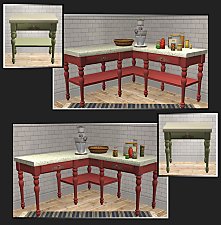
by HugeLunatic 7th Mar 2010 at 5:45pm
I found a counter at Garden Breeze that I loved. more...
-
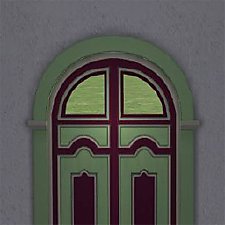
by HugeLunatic 26th Mar 2020 at 4:31pm
None of the doors from M&G that have glass appear to let light into a room. more...
+1 packs
4 5.8k 23 Mansion and Garden
-
by HugeLunatic updated 8th May 2019 at 7:31pm
I needed these thrones to have the cushion and frame have separate recolorable subsets for another project I'm working on more...
+1 packs
2 9.8k 26 Apartment Life
-
OFB International Window Extras - Part II - Arches
by HugeLunatic 31st Jul 2009 at 10:50pm
Part II of my OFB International Windows and Doors add on set. more...
+1 packs
8 39.1k 71 Open for Business



Packs Needed
| Expansion Pack | |
|---|---|
| Nightlife |
About Me
Pet Stories || Dog Agility Items? || Castaway Stories || Holy Simoly Extras
4esf Archive || Holy Simoly Archive || CEP-Extras List || Buyable Game Objects
lunie content from GoS/s2a
 Installation of CEP Extras
-the package with pfiles appended to the name will go into your cep extras folder where your game is installed (typically c drive, you do you)
-the other goes in CEP extra folder in documents.
The following locations are what I am aware of, beyond that you'll have to do some searching.
Downloads Folder:
C:\Users\<user>\Documents\EA Games\The Sims 2 Legacy
C:\Users\<user>\Documents\EA Games\The Sims 2 Ultimate Collection
With multiple launchers, the location for your game install will vary.
C:\Program Files\EA GAMES\The Sims 2 Legacy\TSData\Res\Catalog\zCEP-EXTRA
C:\Program Files\EA GAMES\The Sims 2\TSData\Res\Catalog\zCEP-EXTRA
C:\Program Files (x86)\EA GAMES\The Sims 2\TSData\Res\Catalog\zCEP-EXTRA