
 Sign in to Mod The Sims
 M&G Door Lighting Fix
 M&G Door Lighting Fix


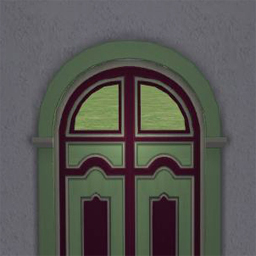
lightingFixThumb.jpg - width=256 height=256
mg1.jpg - width=800 height=800
mg2.jpg - width=800 height=800
mg3.jpg - width=800 height=800
mg4.jpg - width=800 height=800
mg5.jpg - width=800 height=800

** This also fixes the Bay View v.2 Windows by Second Empire Designs.
 Installation
- This is an edit of the EP9Lights.nlo and must be installed in the game files, please allow it to overwrite the existing one. If you have UC or Collections it will be \Fun with Pets\SP9\TSData\Res\Lights, if you have each disk it will be \The Sims 2 Mansion and Garden Stuff\TSData\Res\Lights
- If you use a lighting mod your .nlo files might be in another location, so please refer to installation instructions from your lighting mod and replace the EP9Lights.nlo in that location with mine. It's possible your lighting mod has altered the EP9Lights.nlo. If that is the case then you will want to copy the ###Doors### section of my .nlo to the end of yours.
- If you use my nlo File Replacer utility, that has been updated with the new EP9Ligh[li]ts.nlo.
| Filename | Type | Size |
|---|---|---|
| EP9Lights.7z | 7z | |
| EP9Lights.nlo | nlo | 8602 |
|
EP9Lights.7z
Download
Uploaded: 26th Mar 2020, 1.1 KB.
1,359 downloads.
|
||||||||
| For a detailed look at individual files, see the Information tab. | ||||||||
Install Instructions
1. Download: Click the download link to save the .rar or .zip file(s) to your computer.
2. Extract the zip, rar, or 7z file.
3. Place in Downloads Folder: Cut and paste the .package file(s) into your Downloads folder:
- Origin (Ultimate Collection): Users\(Current User Account)\Documents\EA Games\The Sims™ 2 Ultimate Collection\Downloads\
- Non-Origin, Windows Vista/7/8/10: Users\(Current User Account)\Documents\EA Games\The Sims 2\Downloads\
- Non-Origin, Windows XP: Documents and Settings\(Current User Account)\My Documents\EA Games\The Sims 2\Downloads\
- Mac: Users\(Current User Account)\Documents\EA Games\The Sims 2\Downloads
- Mac x64: /Library/Containers/com.aspyr.sims2.appstore/Data/Library/Application Support/Aspyr/The Sims 2/Downloads
- For a full, complete guide to downloading complete with pictures and more information, see: Game Help: Downloading for Fracking Idiots.
- Custom content not showing up in the game? See: Game Help: Getting Custom Content to Show Up.
- If you don't have a Downloads folder, just make one. See instructions at: Game Help: No Downloads Folder.
Loading comments, please wait...


Uploaded: 26th Mar 2020 at 4:31 PM
Updated: 26th Aug 2023 at 4:16 PM
-
by Tashiketh updated 30th Mar 2005 at 7:18am
 61
158.3k
44
61
158.3k
44
-
-
by Masterofallvideogames 14th Jul 2008 at 1:09am
28
41.3k
21
-
Live Camera mod 2 requested by Corsetcrush
by Masterofallvideogames 24th Sep 2008 at 7:23pm
25
45.5k
24
-
-
More sensible lights for Maxis lamps – Pets/OfB/Seasons
by plasticbox 8th Apr 2009 at 9:30am
+3 packs
25 38.1k 113 Open for Business
 Pets
Pets
 Seasons
-
Eaxis More Logical Lights II - The bringing it home edition
by CircusWolf 18th Jun 2014 at 2:18am
+7 packs
6 18.2k 54 University
 Glamour Life
 Nightlife
 H&M Fashion
 Teen Style
 Kitchen & Bath
 Free Time
-
-
C-C-C-Chandelower - Lighting Fix
by HugeLunatic updated 17th Jul 2020 at 3:21pm
+1 packs
5 9.4k 41 Mansion and Garden
-
by tefosims 13th Mar 2024 at 9:09pm
4
8.4k
6


-
by HugeLunatic 21st May 2009 at 2:32am
Tablablanca from Simporters, Ltd The 2 tile base game table made into a single tile. more...
-
by HugeLunatic updated 20th Aug 2012 at 3:36pm
Crib and Changing Table to match Caress of Teak bed. more...
32
79.4k
179
-
by HugeLunatic 15th Nov 2014 at 3:56am
A basic modern easel, designed to match the desk "The Recognizer" in game, but will work in more...
 57
65.2k
331
57
65.2k
331
-
by HugeLunatic updated 2nd Jan 2015 at 7:58pm
As the new year begins, it's time for the annual MTS Calendar. more...
16
15.6k
84
-
by HugeLunatic 23rd Sep 2012 at 9:20pm
Minimaal Gate This gate matches the fences that came with OFB, the small red and black ones. more...
37
38k
90
-


by HugeLunatic 22nd May 2026 at 4:41pm
3.3k
1
-
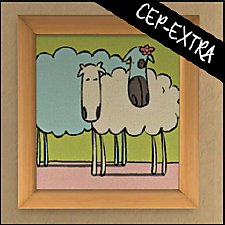
"Sheep and Sheep" Painting [CEP-EXTRA]
by HugeLunatic updated 17th Jun 2025 at 2:03am
Childs painting from FreeTime that makes the canvas and frame separately recolorable. more...
+1 packs
3 20.7k 28 Free Time
-
by HugeLunatic 12th Jan 2009 at 4:19pm
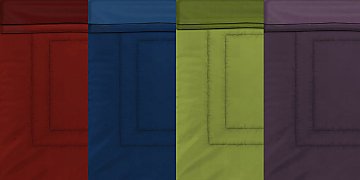
A set of nine quilted beddings. more...
-
by HugeLunatic 12th Nov 2021 at 12:20pm
Apparently there are still images hiding in the game files for unfinished Maxis objects. more...
9
8.9k
42
-
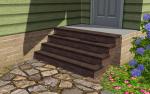
Recolor Your Stairs!! *Updated*
by HugeLunatic 15th Oct 2009 at 9:33pm
Updated Oct-16 - Fixed issue with Sims not using the stair properly. Non-recolorable stairs...what a giant step backwards. more...
 41
64.3k
107
41
64.3k
107


Packs Needed
| Stuff Pack | |
|---|---|
| Mansion and Garden |
About Me
Pet Stories || Dog Agility Items? || Castaway Stories || Holy Simoly Extras
4esf Archive || Holy Simoly Archive || CEP-Extras List || Buyable Game Objects
lunie content from GoS/s2a
Installation of CEP Extras-the package with pfiles appended to the name will go into your cep extras folder where your game is installed (typically c drive, you do you)
-the other goes in CEP extra folder in documents.
The following locations are what I am aware of, beyond that you'll have to do some searching.
Downloads Folder:
C:\Users\<user>\Documents\EA Games\The Sims 2 Legacy
C:\Users\<user>\Documents\EA Games\The Sims 2 Ultimate Collection
With multiple launchers, the location for your game install will vary.
C:\Program Files\EA GAMES\The Sims 2 Legacy\TSData\Res\Catalog\zCEP-EXTRA
C:\Program Files\EA GAMES\The Sims 2\TSData\Res\Catalog\zCEP-EXTRA
C:\Program Files (x86)\EA GAMES\The Sims 2\TSData\Res\Catalog\zCEP-EXTRA