
 Sign in to Mod The Sims
 Male Wrist Sweatband
 Male Wrist Sweatband


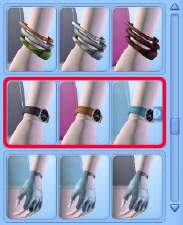
SweatbandCatalogue.jpg - width=328 height=399
SweatbandCAST.jpg - width=435 height=416
Channel 1 = base colour Channel 2 = stripe colour
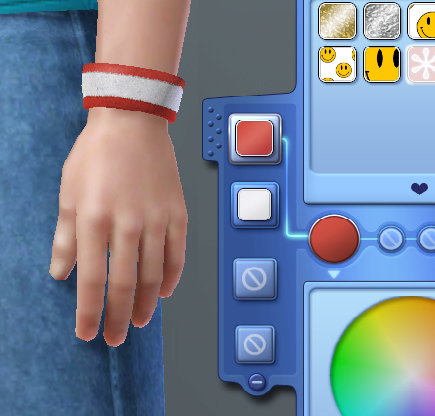
As you can see, it has two CASTable sections; the base colour and the stripe running through the middle.
It can be found under ALL clothing catagories for male Sims aged Teen to Elder. It should also hopefully be wearable with work outfits.
As with my watch, there is a very slight clipping issue on extremely large Sims.
I hope your male Simmies enjoy their new accessory but please don't redistibute it elsewhere.
Polygon Counts:
738 polys at highest quality.
Additional Credits:
WebShop Template for the fur texture,
TSR Workshop,
Milkshape,
Wes H,
Photoshop.
This is a new mesh, and means that it's a brand new self contained object that usually does not require a specific Pack (although this is possible depending on the type). It may have Recolours hosted on MTS - check below for more information.
|
MM_MaleWristSweatband.zip
Download
Uploaded: 6th Jan 2010, 4.38 MB.
5,274 downloads.
|
||||||||
| For a detailed look at individual files, see the Information tab. | ||||||||
Install Instructions
1. Click the download button, or the filename, to download the file to your computer.
2. Extract the zip, rar, or 7z file. Now you will have either a .package or a .sims3pack file.
For Package files:
1. Cut and paste the file into your Documents\Electronic Arts\The Sims 3\Mods\Packages folder. If you do not already have this folder, you should read the full guide to Package files first: Sims 3:Installing Package Fileswiki, so you can make sure your game is fully patched and you have the correct Resource.cfg file.
2. Run the game, and find your content where the creator said it would be (build mode, buy mode, Create-a-Sim, etc.).
For Sims3Pack files:
1. Cut and paste it into your Documents\Electronic Arts\The Sims 3\Downloads folder. If you do not have this folder yet, it is recommended that you open the game and then close it again so that this folder will be automatically created. Then you can place the .sims3pack into your Downloads folder.
2. Load the game's Launcher, and click on the Downloads tab. Find the item in the list and tick the box beside it. Then press the Install button below the list.
3. Wait for the installer to load, and it will install the content to the game. You will get a message letting you know when it's done.
4. Run the game, and find your content where the creator said it would be (build mode, buy mode, Create-a-Sim, etc.).
Extracting from RAR, ZIP, or 7z: You will need a special program for this. For Windows, we recommend 7-Zip and for Mac OSX, we recommend Keka. Both are free and safe to use.
Need more help?
If you need more info, see:
- For package files: Sims 3:Installing Package Fileswiki
- For Sims3pack files: Game Help:Installing TS3 Packswiki
Loading comments, please wait...



Uploaded: 6th Jan 2010 at 12:54 PM
Updated: 13th Mar 2010 at 9:13 PM
-
by Shep 4th Jul 2009 at 12:43pm
 37
145.9k
204
37
145.9k
204
-
by ailivina 10th Sep 2009 at 2:33pm
19
48.5k
73
-

by newone08 3rd Nov 2009 at 12:31am
33
104.8k
233
-
by Menaceman44 4th Jan 2010 at 5:56pm
7
22.3k
47
-
by Menaceman44 7th Jan 2010 at 10:58pm
7
17.3k
46
-
-
by Menaceman44 18th Mar 2010 at 1:31am
5
18.1k
32
-
by cutsocks 28th Sep 2010 at 4:03am
19
33.2k
57
-
-
by GrahammerTek 29th Jun 2023 at 3:28pm
2
2.1k
12


-
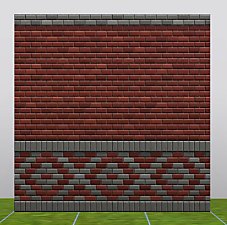
Lost and Found: Brick Stretcher Bond Walls
by Menaceman44 28th Jan 2012 at 9:34am
Two brick walls by EA unlocked to appear in the catalogue more...
16
34.3k
121
-

by Menaceman44 updated 16th Dec 2017 at 11:29am
New swimwear for Teen to Elder aliens based on the Toddler alien nappy/diaper. more...
-
Celebration Folding Chair Without Balloons
by Menaceman44 updated 3rd Dec 2008 at 9:32am
:new: No longer requires Celebration Stuff. Thanks to Agentt10 for testing :). Hi again. more...
 29
23.2k
73
29
23.2k
73
-


TS3 to TS4 ChocoSofa Sectional Sofa and ChocoSpacer Coffee Table
by Menaceman44 3rd Aug 2026 at 4:43pm
Description This is a conversion of the ChocoSofa and ChocoSpacer items from The Sims 3 70s, 80s, & 90s Stuff. If they more...
-
Nukem Reggae Wall Speaker Catalogue Correction
by Menaceman44 10th Apr 2008 at 1:49pm
Another small fix for you guys. I seem to be on a correction making frenzy at the moment. more...
+1 packs
3 16.6k 19 Bon Voyage
-
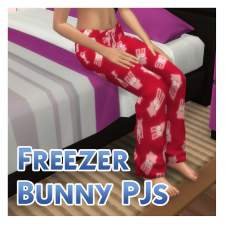
by Menaceman44 12th Sep 2014 at 4:17pm
A red recolour of the female pyjamas with a freezer bunny pattern. more...
-
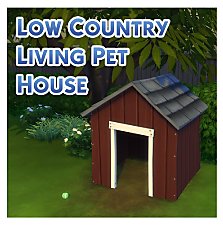

TS3 > TS4 Low Country Living Pet House Conversion
by Menaceman44 updated 27th May 2025 at 9:55am
A pet house conversion from TS3 for use in TS4. more...
 +1 packs
26 57.3k 190
+1 packs
26 57.3k 190 Cats and Dogs
-
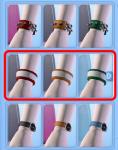
by Menaceman44 17th Mar 2010 at 7:31pm
As I created a version for men, here is a sweatband for females to wear. more...
5
18.1k
32
-
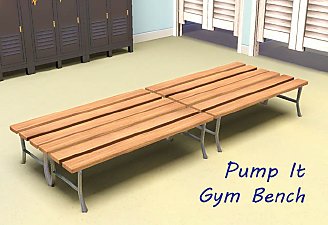
by Menaceman44 16th Apr 2011 at 3:40am
Updated for the 1.26 patch and Pets EP I've had this sat on my computer for quite some time more...
32
60.1k
135
-
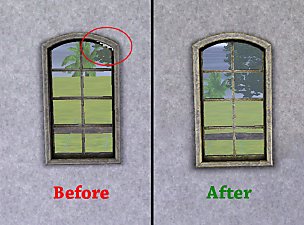
WA 'Shuttered Window - Open' - FIX
by Menaceman44 8th Jun 2011 at 4:25pm
A file to correct the window wall mask. more...


