
 Sign in to Mod The Sims
 Backless Showers
 Backless Showers


backlessBasic.jpg - width=850 height=436
backlessExpensive.jpg - width=850 height=510
backlessDefaults.jpg - width=550 height=556
backlessPattern.jpg - width=750 height=750

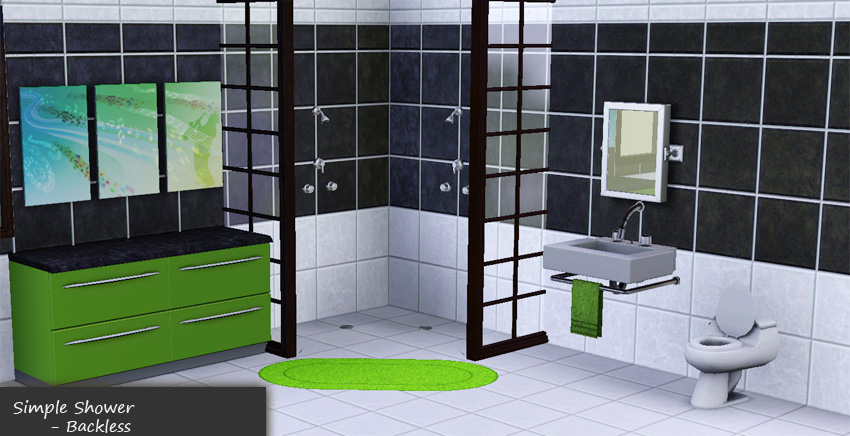
The base game simple shower, you know the square one with the horrid 70's waffley glass surrounding it? I removed the surround and the base (channels too!). And as you can see the small floor drain is still there and now it fits much nicer in more modern surroundings.
- 1 Channel
- §225
- Plumbing/Showers
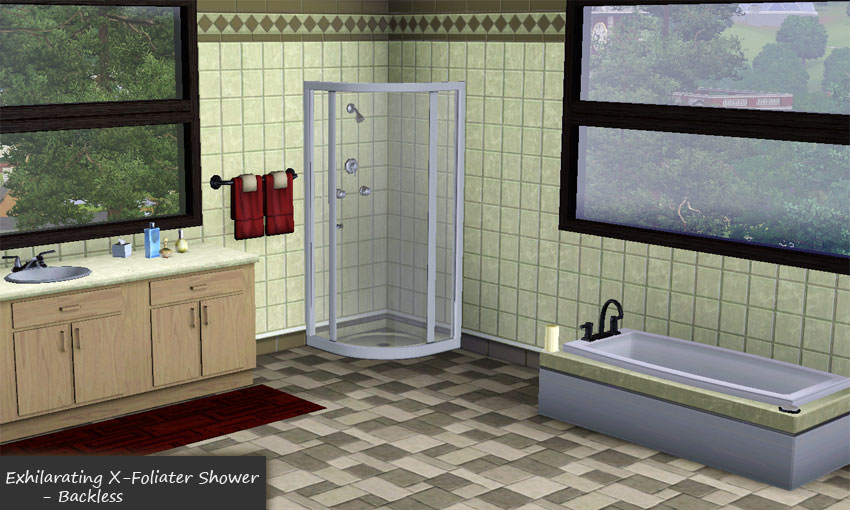
Exhilarating X-Foliator
This is the expensive shower that is designed for corners. It is still designed for corners, it just has the back tiled part removed (channel too!).
- 3 Channels (Base, Rail, Fixture)
- §650
- Plumbing/Showers
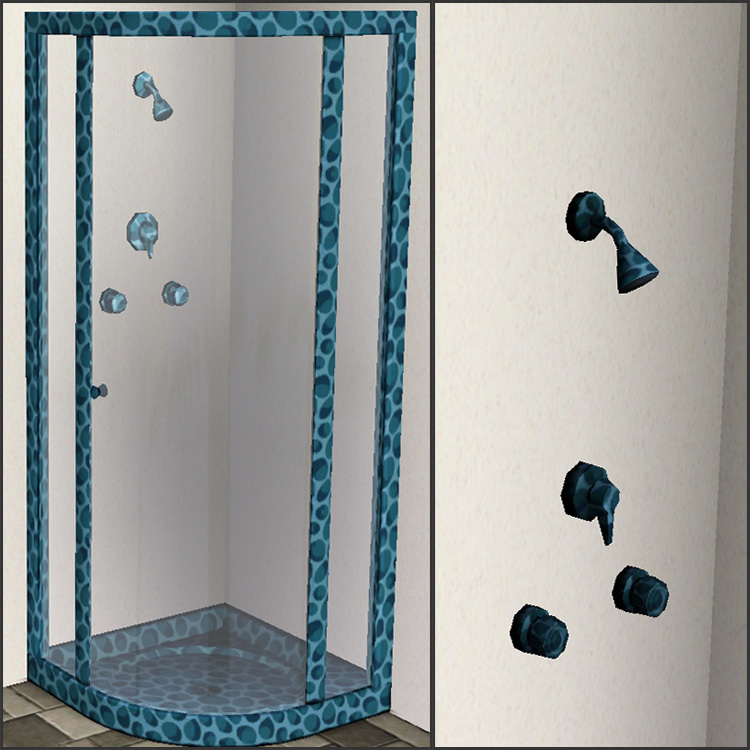
So...you want to have your showers as blue leopard spots?
Who am I to ask what you want to do in your own bathroom? mumbles...mumbles....crazy new-age decorators... Well for those of you that really truly must do this, take a look at this photo.
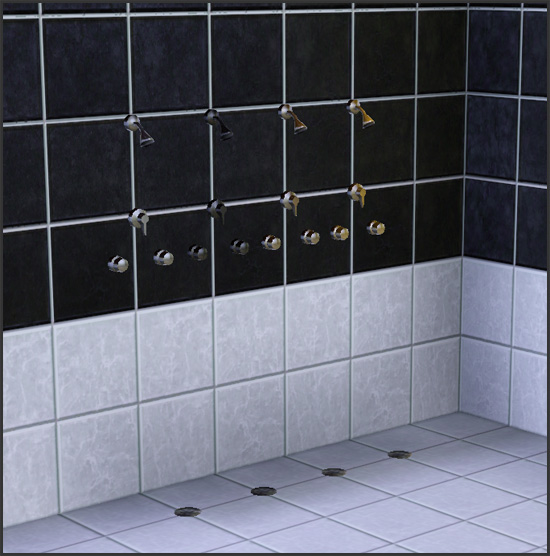
Default Colors
The default colors for both showers is the same as the corresponding base game showers. The picture shows the Simple Shower, but the X-Foliator one has the same colors. Plus all the rails in the X-Foliator are the same, so it seemed redundant to take a picture of that.
Compatibility
Made with Game Version 1.7.9. Should work with any patched game.
Polygon Counts:
Simple Shower 554 - High/Low are the same since so much was removed
X-Foliator 1209/671
This is a new mesh, and means that it's a brand new self contained object that usually does not require a specific Pack (although this is possible depending on the type). It may have Recolours hosted on MTS - check below for more information.
|
HL_BacklessShowers.rar
Download
Uploaded: 11th Mar 2010, 88.3 KB.
118,338 downloads.
|
||||||||
| For a detailed look at individual files, see the Information tab. | ||||||||
Install Instructions
1. Click the download button, or the filename, to download the file to your computer.
2. Extract the zip, rar, or 7z file. Now you will have either a .package or a .sims3pack file.
For Package files:
1. Cut and paste the file into your Documents\Electronic Arts\The Sims 3\Mods\Packages folder. If you do not already have this folder, you should read the full guide to Package files first: Sims 3:Installing Package Fileswiki, so you can make sure your game is fully patched and you have the correct Resource.cfg file.
2. Run the game, and find your content where the creator said it would be (build mode, buy mode, Create-a-Sim, etc.).
For Sims3Pack files:
1. Cut and paste it into your Documents\Electronic Arts\The Sims 3\Downloads folder. If you do not have this folder yet, it is recommended that you open the game and then close it again so that this folder will be automatically created. Then you can place the .sims3pack into your Downloads folder.
2. Load the game's Launcher, and click on the Downloads tab. Find the item in the list and tick the box beside it. Then press the Install button below the list.
3. Wait for the installer to load, and it will install the content to the game. You will get a message letting you know when it's done.
4. Run the game, and find your content where the creator said it would be (build mode, buy mode, Create-a-Sim, etc.).
Extracting from RAR, ZIP, or 7z: You will need a special program for this. For Windows, we recommend 7-Zip and for Mac OSX, we recommend Keka. Both are free and safe to use.
Need more help?
If you need more info, see:
- For package files: Sims 3:Installing Package Fileswiki
- For Sims3pack files: Game Help:Installing TS3 Packswiki
Loading comments, please wait...


Uploaded: 11th Mar 2010 at 12:24 AM
-
-
by Lisen801 updated 28th May 2012 at 9:01am
 128
126.6k
336
128
126.6k
336
-
by armiel 24th Jan 2011 at 5:44pm
16
20k
31
-
by armiel 25th Jan 2011 at 6:42pm
10
19.8k
45
-
by HugeLunatic 10th Mar 2011 at 6:26pm
125
167.3k
500
-
-
Medieval Plumbing - Ye Olde Kingdom of Pudding
by The Merrye Makers 18th Dec 2011 at 11:18pm
14
73.7k
181
-
-
-

-
-
by HugeLunatic updated 30th Mar 2025 at 5:03pm
The small mammal containment now with two subsets! more...
 +1 packs
4 7.1k 22
+1 packs
4 7.1k 22 Pets
Pets
-
by HugeLunatic updated 4th Feb 2016 at 2:32am
Podium inspired by an image from "The Nightmare Before Christmas". more...
3
5.6k
19
-
by HugeLunatic 26th Aug 2007 at 6:00pm
Vibrant, teen oriented bedroom recolor of the Atomic Age set included in the Pets ep. more...
-
by HugeLunatic 2nd Dec 2016 at 5:44pm
As I was building a Victorian inspired house, I discovered that the Bohemian dresser from AL didn't have two subsets more...
+1 packs
10.4k 23 Apartment Life
-
Gingham Schmingham - Maxis Match
by HugeLunatic 24th Nov 2012 at 12:05pm
An extended collection of Seasons match wallpaper. more...
8
25.9k
103
-
by HugeLunatic 11th Aug 2014 at 5:38pm
This mod allows the games garage doors to be rotated, but does need the moveobjects on cheat activated. more...
+1 packs
37 44.7k 150 Nightlife
-
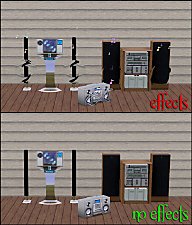
by HugeLunatic 20th Jun 2010 at 11:07pm
The whole swirling, warping, rotating thing with musical notes coming out of the speakers is very annoying and distorts the more...
-
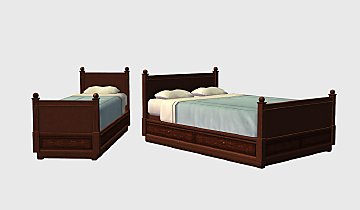
by HugeLunatic updated 4th Apr 2018 at 7:39pm
The Free Time single comfy bed made twice as comfy! more...
+1 packs
10 20.6k 57 Free Time
-
by HugeLunatic 12th Dec 2008 at 2:01pm
I like most all of the tiles that came with Kitchen & Bath, except that all the tiles don't go more...
30
53.6k
161


About Me
Pet Stories || Dog Agility Items? || Castaway Stories || Holy Simoly Extras
4esf Archive || Holy Simoly Archive || CEP-Extras List || Buyable Game Objects
lunie content from GoS/s2a
 Installation of CEP Extras
-the package with pfiles appended to the name will go into your cep extras folder where your game is installed (typically c drive, you do you)
-the other goes in CEP extra folder in documents.
The following locations are what I am aware of, beyond that you'll have to do some searching.
Downloads Folder:
C:\Users\<user>\Documents\EA Games\The Sims 2 Legacy
C:\Users\<user>\Documents\EA Games\The Sims 2 Ultimate Collection
With multiple launchers, the location for your game install will vary.
C:\Program Files\EA GAMES\The Sims 2 Legacy\TSData\Res\Catalog\zCEP-EXTRA
C:\Program Files\EA GAMES\The Sims 2\TSData\Res\Catalog\zCEP-EXTRA
C:\Program Files (x86)\EA GAMES\The Sims 2\TSData\Res\Catalog\zCEP-EXTRA