
 Sign in to Mod The Sims
 Rideable Dragon **MAJOR UPDATE - Can now take passengers**
 Rideable Dragon **MAJOR UPDATE - Can now take passengers**


Main pic side view.jpg - width=790 height=504
Main pic front view.jpg - width=527 height=540
Patterned dragon x2.jpg - width=648 height=691
Night pics.jpg - width=879 height=432
MAJOR UPDATE 3 March 2013 - Have now re-rigged this vehicle so that it can take passengers. Because I didn't know how to do rigging back when I made this item, I had to advise players to only have one sim ride it as a solo vehicle, because any other passengers would show as floating alongside it. I've now remade it so that you can take your whole household with you, but everyone except the driver will simply disappear. When your household reaches the destination, they will all re-appear.
If you already have this item, please re-download the file 'EsmeraldaF_PETSRideableDragon.zip' from the Downloads tab. Delete the old file 'EsmeraldaF_PETSRideableDragon.package' from your Mods\Packages folder and replace it with the new file inside the newly downloaded zip, 'Esmeralda_RideableDragonV2.package', which is dated 3 March 2013.
Please note that this update does not apply to the old pre-Pets version that is on the Downloads tab ('EsmeraldaF_RideableDragon.zip'), which is obsolete and which I won't be updating.
I decided to try to make a rideable animal as a 'car'. As I love dragons, I thought it might be a good place to start. Hopefully your eccentric and/or fantasy sims might like one as their everyday transport too.
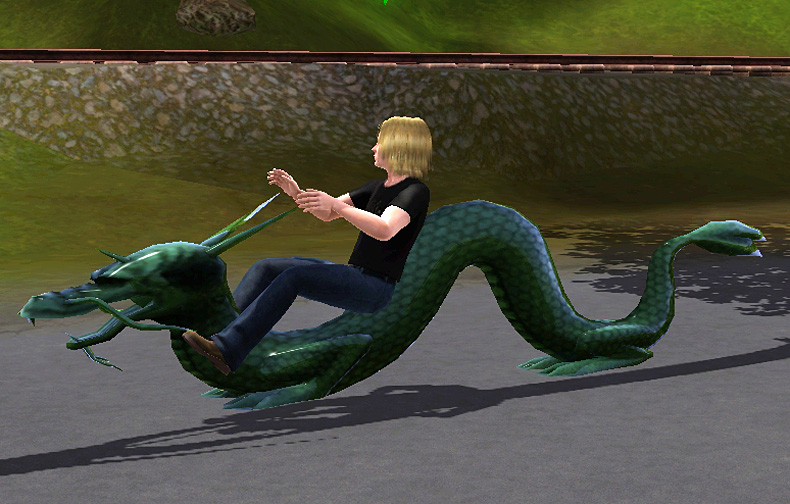
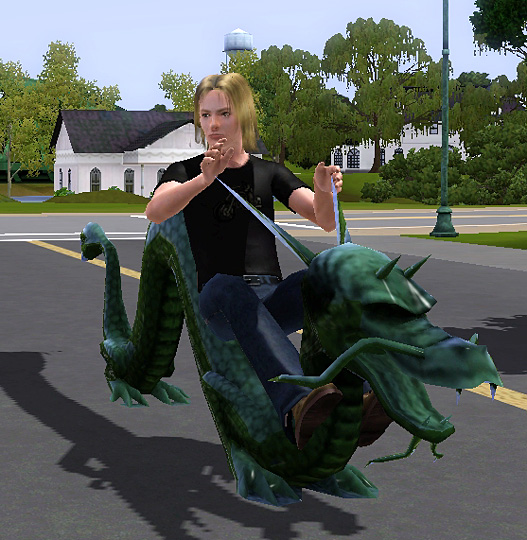
It's cloned from one of the base game cars and uses the car driver's riding position. As the hands are holding onto a couple of pointy horns on the dragon rather than a steering wheel, they won't always be perfectly matched up on close inspection, but it looks OK from afar. The dragon's legs don't move, of course, but instead it glides along a few inches off the ground.
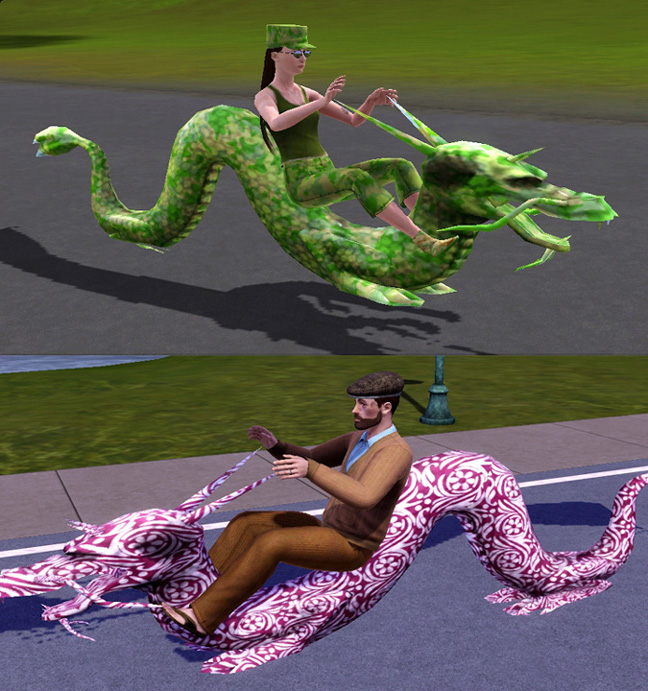
The dragon has one recolourable channel, which as usual can be used for patterning as well as colours. Below we see a military-looking lady riding a camo-patterned dragon, and as for the bearded gentleman below her, well, if you want to be really silly, you can be.
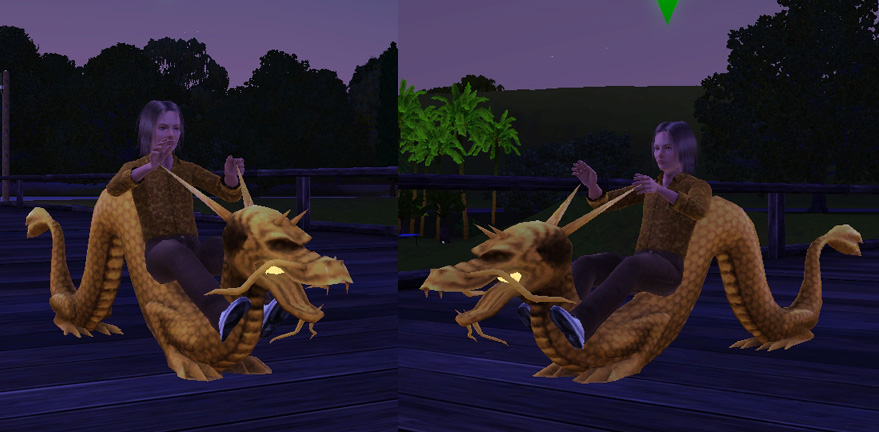
For night riding, the dragon has a handy light inside its mouth to help light your way. The colour of the light will correspond to the colour of your dragon, so as we have a golden dragon below, it also gives off a golden light.
It is found in the Buy Mode catalogue under Vehicles/Cars, and costs 4500 simoleons. It will need a car parking space. It was made from a base game car, so you don't need any expansion packs.
Hope you'll find this a bit of fun - happy riding!
INSTALL INSTRUCTIONS:
Unzip the .zip file and copy the .package file to your Mods\Packages folder. If you don't have a Mods\Packages folder and/or don't know how to install .package files, please see full instructions here: http://www.modthesims.info/wiki.php...g_Package_Files
Polygon Counts:
2624
Additional Credits:
Made with s3oc, S3PE and Sims 3 Object Tool.
It was made from the mesh of a dragon sculpture from TS2, in case you find it looks a bit familiar.
The custom hair on the blonde male sim is Anto 47 conversion by v-ware http://www.modthesims.info/d/370830
This is a new mesh, and means that it's a brand new self contained object that usually does not require a specific Pack (although this is possible depending on the type). It may have Recolours hosted on MTS - check below for more information.
|
EsmeraldaF_PETSRideableDragon.zip
| NEW V2 version updated to take passengers. Headlights fixed. Pets/patch 1.26 and upwards, NOT backwards compatible.
Download
Uploaded: 19th Oct 2011, 875.1 KB.
7,882 downloads.
|
||||||||
|
EsmeraldaF_RideableDragon.zip
| *OBSOLETE* - DO NOT USE UNLESS YOU HAVE NOT UPDATED to Pets or patch 1.26 upwards. Can NOT take passengers.
Download
Uploaded: 23rd Jun 2010, 847.9 KB.
17,596 downloads.
|
||||||||
| For a detailed look at individual files, see the Information tab. | ||||||||
Install Instructions
1. Click the download button, or the filename, to download the file to your computer.
2. Extract the zip, rar, or 7z file. Now you will have either a .package or a .sims3pack file.
For Package files:
1. Cut and paste the file into your Documents\Electronic Arts\The Sims 3\Mods\Packages folder. If you do not already have this folder, you should read the full guide to Package files first: Sims 3:Installing Package Fileswiki, so you can make sure your game is fully patched and you have the correct Resource.cfg file.
2. Run the game, and find your content where the creator said it would be (build mode, buy mode, Create-a-Sim, etc.).
For Sims3Pack files:
1. Cut and paste it into your Documents\Electronic Arts\The Sims 3\Downloads folder. If you do not have this folder yet, it is recommended that you open the game and then close it again so that this folder will be automatically created. Then you can place the .sims3pack into your Downloads folder.
2. Load the game's Launcher, and click on the Downloads tab. Find the item in the list and tick the box beside it. Then press the Install button below the list.
3. Wait for the installer to load, and it will install the content to the game. You will get a message letting you know when it's done.
4. Run the game, and find your content where the creator said it would be (build mode, buy mode, Create-a-Sim, etc.).
Extracting from RAR, ZIP, or 7z: You will need a special program for this. For Windows, we recommend 7-Zip and for Mac OSX, we recommend Keka. Both are free and safe to use.
Need more help?
If you need more info, see:
- For package files: Sims 3:Installing Package Fileswiki
- For Sims3pack files: Game Help:Installing TS3 Packswiki
Loading comments, please wait...
Uploaded: 23rd Jun 2010 at 6:20 PM
Updated: 23rd Aug 2013 at 3:44 PM - Headlights issue fixed
-
-
-
-
The Junkyard Dawg(Really Junky Car)
by wintermuteai1 10th Jun 2010 at 4:23pm
 +1 packs
36 50.8k 72
+1 packs
36 50.8k 72 Ambitions
-
by Lisen801 updated 31st Aug 2012 at 5:27pm
27
71.3k
136
-
by hexameter 22nd Dec 2010 at 2:32pm
56
162k
176
-
-
by BloomsBase updated 28th Oct 2012 at 3:41am
41
88.8k
128
-
-


-
Matrix-ish Sunglasses *UPDATE March 2 2016 - Closer fit
by Esmeralda updated 2nd Mar 2016 at 1:53pm
Matrix-ish Sunglasses (TS4 Version) more...
 9
17.6k
38
9
17.6k
38
-
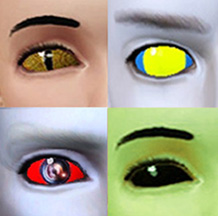
Four Assorted Sci-Fi Eyes as Contacts
by Esmeralda updated 28th Jul 2009 at 5:51pm
UPDATE 11 AUGUST 2012: I've made a major overhaul to this upload, adding improvements to the original items such as more...
49
113.1k
164
-
Glowing Wraparound Cyber Glasses for Men and Women, Teen-Elder
by Esmeralda 24th Oct 2009 at 9:31pm
All credits and thanks go to Delphy for his discovery on how to play around with the properties of sunglass more...
58
55.3k
64
-
Big Afro For Small People - Children's Conversion, Both Genders
by Esmeralda 14th Dec 2014 at 2:57pm
Big Afro For Small People - Children's Conversion, Both Genders more...
9
14.6k
56
-
Lute (Medieval/Renaissance Guitar)
by Esmeralda updated 16th May 2016 at 10:21am
A Lute for Medieval or Fantasy Sims more...
29
82.8k
204
-
Little Retro Rocket Ship - Flyable/Driveable Transport for your Sci-Fi Sims
by Esmeralda 12th Mar 2013 at 2:55pm
Little Retro Rocket Ship - Flyable/Driveable Transport for your Sci-Fi Sims more...
 +1 packs
12 17.3k 15
+1 packs
12 17.3k 15 Nightlife
-
-
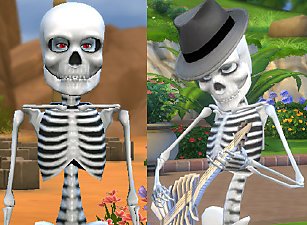
Mr Skeleto *BIG update: Body stays on when nude, can wear hats
by Esmeralda updated 22nd Jun 2018 at 4:35pm
Mr Skeleto (TS4 Version) more...
24
45.9k
95
Sims » Horror / Gothic » Male
-
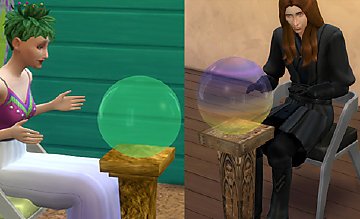
Crystal Ball PC for Fantasy Sims
by Esmeralda updated 19th Dec 2017 at 5:20pm
Crystal Ball PC for Fantasy Sims more...
29
45.3k
168
-



About Me
MY POLICY: I'm easygoing, please just don't copy my creations or claim them to be your own work. You may include my creations with your sims or lots, just credit me with a link back to the item.