
 Sign in to Mod The Sims
 "Brand-New:" 5 toddler / adult poses
 "Brand-New:" 5 toddler / adult poses


Screenshot-16515.jpg - width=1368 height=766
Screenshot-16516.jpg - width=1600 height=896
Screenshot-16517.jpg - width=1600 height=896
Screenshot-16518.jpg - width=1600 height=896
Screenshot-16519.jpg - width=1600 height=896
Screenshot-16520.jpg - width=1600 height=896
Screenshot-16523.jpg - width=1600 height=896
Screenshot-16521.jpg - width=1600 height=896
Screenshot-16522.jpg - width=1600 height=896
Screenshot-16524.jpg - width=1600 height=896
Screenshot-16525.jpg - width=1600 height=896
Screenshot-16526.jpg - width=1600 height=896
Screenshot-16529.jpg - width=1600 height=896
Screenshot-16527.jpg - width=1600 height=896
Screenshot-16528.jpg - width=1600 height=896


This was a request from Tumblr for some poses that would work for a newborn baby and their parent. Blender and I still don't get on very well, but I was able to make these happen
 Pose list-compatible, pose tags included in the description.
Pose tags are as follows (all height suggestions are based on a standard non-slidered adult sim):
a_splad_newborn1: holding an infant while curled up in a chair.
p_splad_newborn1: being held.
Set the OMSP's height to 21/22 for best results.
a_splad_newborn2: holding an infant while sitting on the ground.
p_splad_newborn2: being held.
Set the OMSP's height to 8 for best results.
a_splad_newborn3: holding / looking down at an infant.
p_splad_newborn3: looking up.
Set the OMSP's height to 33 for best results.
a_splad_newborn4: holding an infant against the chest.
p_splad_newborn4: being held.
Set the OMSP's height to 33 for best results.
a_splad_newborn5: holding a sleeping infant against the chest.
p_splad_newborn5: being held.
Set the OMSP's height to 33 for best results.
You will need to use "moveobjects on" to place your sims in position, and you will need to alt-slide the infant around to line them up depending on your sim's size, clothes, etc. Make sure not to let the baby crawl off the OMSP on its own! Use "moveobjects" to place them safely on the ground again!
Additional Credits:
LilMissLau for the original Tumblr request
Buhudain for the OMSP resizer, that makes things like this possible
Cmomoney for the incredible Pose Player
OrangeMittens for the excellent "Creating Your Own Custom Poses" tutorial
WesHowe for the AnimTool
Mesher for the AF rig
A for the toddler rig
Inge Jones for S3PE Everyone on Tumblr who looks, likes, comments, and reblogs. Thank you! <3
|
Newborn.rar
Download
Uploaded: 27th Apr 2015, 78.5 KB.
9,903 downloads.
|
||||||||
| For a detailed look at individual files, see the Information tab. | ||||||||
Install Instructions
1. Click the download button, or the filename, to download the file to your computer.
2. Extract the zip, rar, or 7z file. Now you will have either a .package or a .sims3pack file.
For Package files:
1. Cut and paste the file into your Documents\Electronic Arts\The Sims 3\Mods\Packages folder. If you do not already have this folder, you should read the full guide to Package files first: Sims 3:Installing Package Fileswiki, so you can make sure your game is fully patched and you have the correct Resource.cfg file.
2. Run the game, and find your content where the creator said it would be (build mode, buy mode, Create-a-Sim, etc.).
For Sims3Pack files:
1. Cut and paste it into your Documents\Electronic Arts\The Sims 3\Downloads folder. If you do not have this folder yet, it is recommended that you open the game and then close it again so that this folder will be automatically created. Then you can place the .sims3pack into your Downloads folder.
2. Load the game's Launcher, and click on the Downloads tab. Find the item in the list and tick the box beside it. Then press the Install button below the list.
3. Wait for the installer to load, and it will install the content to the game. You will get a message letting you know when it's done.
4. Run the game, and find your content where the creator said it would be (build mode, buy mode, Create-a-Sim, etc.).
Extracting from RAR, ZIP, or 7z: You will need a special program for this. For Windows, we recommend 7-Zip and for Mac OSX, we recommend Keka. Both are free and safe to use.
Need more help?
If you need more info, see:
- For package files: Sims 3:Installing Package Fileswiki
- For Sims3pack files: Game Help:Installing TS3 Packswiki
Loading comments, please wait...


Uploaded: 27th Apr 2015 at 4:06 AM
-
Baby Love Pose Pack - Some cute toddler poses!
by traelia updated 25th Apr 2012 at 3:20pm
 48
92.5k
242
48
92.5k
242
-
by SenPain 9th Sep 2012 at 3:40pm
17
40.8k
83
-
by deivvus 18th May 2013 at 5:34am
54
93.3k
262
-
-
by equiem 8th May 2014 at 11:04pm
12
31.4k
73
-
-
by spladoum 15th Jul 2014 at 2:15am
19
53.9k
143
-
by SimMadMeg 20th Dec 2014 at 3:36pm
10
28.4k
76
-
-
by TheSweetSimmer 30th Dec 2017 at 1:54am
2
13.1k
14

-
-
-

Stay Together--6 couples' poses
by spladoum 30th Aug 2016 at 12:00pm
This is another set that I made for a couple of sims in one of my stories that I decided more...
9
34k
67
-
-
Makin' Hay -- 11 Lawnmower Poses
by spladoum 19th Jun 2015 at 12:26pm
Another Tumblr request, this time for some poses that would work with a decorative lawnmower. more...
+1 packs
3 15.1k 20 World Adventures
-
Simplicity Day Dress Alteration--Base Game Compatible
by spladoum 12th Oct 2014 at 2:37am
A classic. more...
7
27.4k
104
Female » Formal » Young Adult
-
Ride Along--12 poses for motorcycles, scooters, and bicycles
by spladoum 14th May 2014 at 4:15am
A ride's always more fun with two! more...
+3 packs
13 28.2k 39 World Adventures
 Ambitions
 Fast Lane Stuff
-
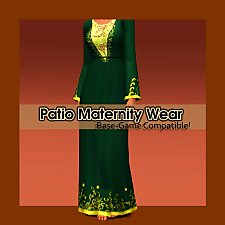
Patio Maternity Dress--BG-compatible!
by spladoum 20th Dec 2016 at 3:05am
Here we are with more maternity wear--this one was a happy accident. more...
11
22.1k
70
-
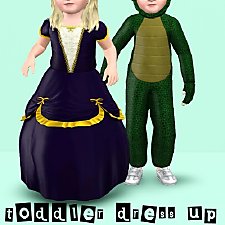
Toddler Dress Up -- Two Generations Outfit Conversions! Base Game Compatible!
by spladoum 18th Aug 2014 at 12:39pm
Outfits for your little ones to play dress up :) more...
8
26.3k
86
-
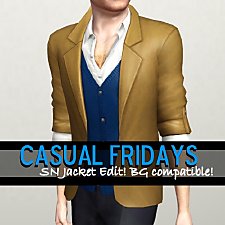
Casual Fridays--Supernatural Jacket Edit. Base Game Compatible!
by spladoum 5th Jul 2014 at 1:47am
A casual, versatile top for guys. more...
54
65.3k
339
Male » Everyday » Young Adult


