
 Sign in to Mod The Sims
 Niceland Solid Door & Window Add Ons
 Niceland Solid Door & Window Add Ons


preview.jpg - width=1400 height=788
Preview
1.jpg - width=1400 height=788
Preset 2
2.jpg - width=1400 height=788
Preset 3
3.jpg - width=1400 height=788
Preset 1
presets_window.jpg - width=1400 height=788
Window Presets All
channels_window.jpg - width=1400 height=788
Window Channels
presets_door.jpg - width=1400 height=788
Door Presets All
channels_door.jpg - width=1400 height=788
Door Channels
detail_door.jpg - width=1400 height=788
Detail Door
detail_window.jpg - width=1400 height=788
Detail Window
catalog.jpg - width=558 height=437
Catalog Name & Description


- Niceland Door Solid Version - $385, found under Build/Doors, 3 presets, recolorable, 4 channels each
- Niceland Window - $70, found under Build/Windows, 3 presets, recolorable, 4 channels each
The first presets of both match the first one of the original ea door. The others don't cause they're hideous.
 The door recolors differently in each preset - I didn't want to choose between having the two sides recolorable separately and having a channel for the handle. So the first one has a channel for each side of the door and an overlay over the handle. The second and third have just one for the door and a recolorable handle.
 BG compatible, compressed.
Enjoy!
Polygon Counts:
Door:
high/med: 652f / 170f
Window:
high/med: 212f / 180f
Additional Credits:
Blender, Milkshape, TSRW, Photoshop, S3PE
This is a new mesh, and means that it's a brand new self contained object that usually does not require a specific Pack (although this is possible depending on the type). It may have Recolours hosted on MTS - check below for more information.
|
enablellamasNicelandDoorAddOnSolid.rar
Download
Uploaded: 27th May 2020, 143.9 KB.
5,963 downloads.
|
||||||||
|
enablellamasNicelandWindowAddOn.rar
Download
Uploaded: 27th May 2020, 102.8 KB.
5,630 downloads.
|
||||||||
| For a detailed look at individual files, see the Information tab. | ||||||||
Install Instructions
1. Click the download button, or the filename, to download the file to your computer.
2. Extract the zip, rar, or 7z file. Now you will have either a .package or a .sims3pack file.
For Package files:
1. Cut and paste the file into your Documents\Electronic Arts\The Sims 3\Mods\Packages folder. If you do not already have this folder, you should read the full guide to Package files first: Sims 3:Installing Package Fileswiki, so you can make sure your game is fully patched and you have the correct Resource.cfg file.
2. Run the game, and find your content where the creator said it would be (build mode, buy mode, Create-a-Sim, etc.).
For Sims3Pack files:
1. Cut and paste it into your Documents\Electronic Arts\The Sims 3\Downloads folder. If you do not have this folder yet, it is recommended that you open the game and then close it again so that this folder will be automatically created. Then you can place the .sims3pack into your Downloads folder.
2. Load the game's Launcher, and click on the Downloads tab. Find the item in the list and tick the box beside it. Then press the Install button below the list.
3. Wait for the installer to load, and it will install the content to the game. You will get a message letting you know when it's done.
4. Run the game, and find your content where the creator said it would be (build mode, buy mode, Create-a-Sim, etc.).
Extracting from RAR, ZIP, or 7z: You will need a special program for this. For Windows, we recommend 7-Zip and for Mac OSX, we recommend Keka. Both are free and safe to use.
Need more help?
If you need more info, see:
- For package files: Sims 3:Installing Package Fileswiki
- For Sims3pack files: Game Help:Installing TS3 Packswiki
Loading comments, please wait...

Uploaded: 27th May 2020 at 3:56 PM
#ea, #maxis, #add on, #maxis match, #build, #door, #window, #retro, #modern, #midcentury
-
by HugeLunatic 8th Aug 2009 at 8:32pm
 54
94.9k
159
54
94.9k
159
-
by HugeLunatic 12th Aug 2009 at 12:38pm
56
159k
245
-
by leefish 16th Oct 2009 at 10:56am
38
43.8k
68
-
Prosperous Peasant Medieval Door and Window Set (Updated:3-17-11)
by cmomoney 16th Apr 2010 at 5:18pm
38
77.2k
194
-
by Lisen801 13th Jun 2012 at 11:52am
23
60.2k
178
-
-
by heaven 24th Oct 2015 at 2:42pm
4
13.6k
43
-
-
-

-
TS4 Luminous Bar, Pro Bar & Cube Conversion
by enable_llamas 7th Oct 2019 at 1:06am
Glow-up bar, professional bar and cube converted from TS4 Luxury Party Pack more...
+1 packs
10 11.1k 37 Late Night
-
by enable_llamas 10th May 2020 at 5:38pm
A collection of 3 dining chairs, designed by Lara Bohinc. more...
8
5.1k
18
-

by enable_llamas 28th Aug 2021 at 12:00am
A rounded, stone island counter with a hollow middle part for a modern twist on the classic kitchen configuration. more...
5
7.3k
19
-
by enable_llamas 10th Jul 2020 at 7:44pm
The iconic Ekstrem chair, designed by Terje Ekstrom in 1984. more...
3
4.2k
18
-

Curve Kitchen Island Counter, Pro Bar & Shelves
by enable_llamas 29th Dec 2020 at 6:29pm
An add-on island counter, professional bar and four curved shelves for the Curve Kitchen set. more...
+1 packs
7 10.3k 33 Late Night
-
Straightforward Bookcases 1 & 2 Tiles Add Ons
by enable_llamas 18th May 2020 at 4:49pm
Short and tall, one and two tiles wide add ons for the store Straightforward Bookcases from Roaring Heights. more...
18
13.2k
73
-
Light Up Bar Shelves Updated 02.06.2021
by enable_llamas updated 2nd Jun 2021 at 9:00pm
Deco Light Up Bar Shelves more...
6
13.2k
52
-
by enable_llamas 16th Mar 2020 at 12:11pm
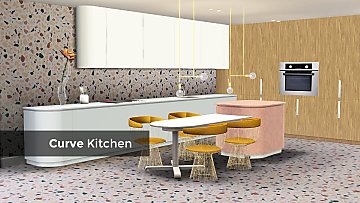
Clean, minimal style kitchen counters, cabinets, stovetop and two terrazzo patterns. more...
-
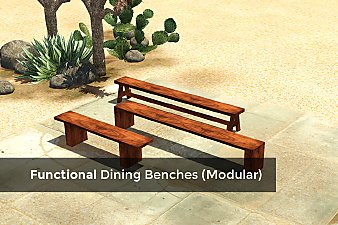
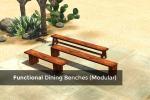
Functional Dining Benches (Modular)
by enable_llamas 26th Jan 2020 at 5:37pm
Functional benches that can be used with dining tables, modular - left, right and middle pieces. more...
15
12.7k
64
-
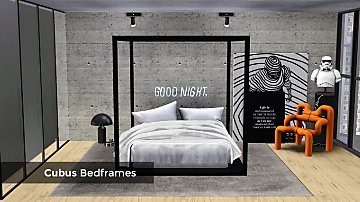
by enable_llamas 19th Aug 2020 at 11:19pm
A collection of 3 modern, minimal bedframes with a stylized canopy. more...
5
14.8k
38

