
 Sign in to Mod The Sims
 The "CEP" - Color Enable Package v. 9.2.0 - 15 MAY 2009
 The "CEP" - Color Enable Package v. 9.2.0 - 15 MAY 2009


Recoloured_Objects.jpg - width=600 height=450


Available for Windows and MacOS X users
 IMPORTANT ANNOUNCEMENTS!
 and probably the last one, except for possible bugfixes and small additions
MANUAL INSTALL for ULTIMATE COLLECTION
b) _EnableColorOptionsMMAT.package:
This file must be copied into your *PROGRAM* installation folder (not in the Documents folder!).
Example: C:\Program Files\EA Games\The Sims 2 Ultimate Collection\Double Deluxe\Base\TSData\Res\Sims3D\
but if you have changed the installation path while installing the game, it may be different.
c2) Open the "ProgramFiles" folder and move the entire "zCEP-EXTRA" subfolder, along with the several files contained in it, in:
(Program Files)\EA Games\The Sims 2 Ultimate Collection\Double Deluxe\Base\TSData\Res\Catalog\
MANUAL INSTALL for MAC Super Collection
credits: lordtyger
a) _EnableColorOptionsGMND.package:
Place the file "_EnableColorOptionsGMND.package" into your Sims Downloads folder:
~/Library/Containers/com.aspyr.sims2.appstore/Data/Library/Application Support/Aspyr/The Sims 2/Downloads
b) _EnableColorOptionsMMAT.package:
Open the Applications folder, then RIGHT CLICK The Sims 2, and select "Show package contents"
Navigate then to Contents/Home/TSData/Res/Sims3D/
Place the file "_EnableColorOptionsMMAT.package" in that folder.
c) "Extra" folder:
Open it and you will find 2 subfolders, "MyDocuments" and "ProgramFiles".
c1) Open the "MyDocuments" folder and move the entire "zCEP-EXTRA" subfolder, along with the several files contained in it to:
Applications folder-->TheSims2-->"Show package contents"-->Contents/
c2) Open the "ProgramFiles" folder and move the entire "zCEP-EXTRA" subfolder, along with the several files contained in to:
Applications folder-->TheSims2-->"Show package contents"-->Contents/Home/TSData/Res/CATALOG
MANUAL INSTALL for MAC Super Collection 64bit
credits: lordtyger
a) _EnableColorOptionsGMND.package:
Place the file "_EnableColorOptionsGMND.package" into your Sims Downloads folder:
~/Library/Containers/com.aspyr.sims2.appstore/Data/Library/Application Support/Aspyr/The Sims 2/Downloads
b) _EnableColorOptionsMMAT.package:
Open the Applications folder, then RIGHT CLICK The Sims 2, and select "Show package contents"
Navigate then to Contents/Home/TSData/Res/Sims3D/
Place the file "_EnableColorOptionsMMAT.package" in that folder.
c) "Extra" folder:
Open it and you will find 2 subfolders, "MyDocuments" and "ProgramFiles".
c1) Open the "MyDocuments" folder and move the entire "zCEP-EXTRA" subfolder, along with the several files contained in it to:
Applications folder-->TheSims2-->"Show package contents"-->Contents/
c2) Open the "ProgramFiles" folder and move the entire "zCEP-EXTRA" subfolder, along with the several files contained in to:
Applications folder-->TheSims2-->"Show package contents"-->Contents/Home/TSData/Res/CATALOG CEP works fine as far as I can tell, once it is installed using these instructions
ACCESSORIES AND SUCH. IT AFFECTS ONLY *MAXIS OBJECTS*

The Sims 2 (base game) - University - Nightlife - Open for Business - Family Fun Stuff
Glamour Life - Pets - Seasons - Bon Voyage - FreeTime - Apartment Life
(plus almost all the objects from the Stuff Packs up to M&G).
It can safely be used by *ALL* users, with *ANY* game configuration
 LATEST NEWS
 15 May 2009 - CEP v. 9.2.0 released (final update to Apartment Life + More 'stuff pack' objects)
(Read details on Post #4)
-------------------------------------------------------------------
 Read the CEP Licence Agreement on Post #2
 Read the CEP Frequently Asked Questions on Post #3 Read the CEP News & Details on Post #4
 If you want to be sure not to miss a CEP update, subscribe to the CEP Updates Notification Thread
 If you like this enhancement for your Sims2 game, consider to make a DONATION to either Numenor Moddings or ModTheSims2
-------------------------------------------------------------------
CEP COMPONENTS
Starting from CEP v.8.0, both the Installer and the Manual Installation zip contain all the CEP resources:
- CEP core files: these are required for the CEP to work.
- "CEP EXTRA" components: these are fixes and additional features that are not required, but their installation is strongly suggested; read details about the CEP EXTRA in the Documentation installed along with the CEP.
- CEP Documentation: it's optional, but it's very interesting; it includes the FAQ, a detailed list of the CEP EXTRA and a full list of all the objects that come with the game.
- CEP Icon Set: optional; it's mainly aimed to webmasters (to put them in the download web pages or in the local CEP Info page) and CEP enthusiasts.
INSTALLATION and USAGE
The CEP can be installed automatically (Windows users only), or manually (Mac users, and anyone who wants to have total control on what happens on their computers
 )
)- Automatic installation (Windows users only) - Download the file "CEP_Windows-AutoInstaller.zip" and unpack it on your desktop. Double-click on the installer (CEP_Setup.exe) and follow the instructions.
You have to choose which "CEP EXTRA" components you want to install, select the path where to install the Documentation and choose what parts of the Documentation you want to install (any older CEP version will be automatically uninstalled).To uninstall, use the "Add/Remove Program" applet, in the Windows control panel, or the icon in the Start menu. - Manual Installation (Windows and MacOS X Users) - Download the file "CEP_Windows+MAC_Manual-Installation.zip"; unpack the zip on a temporary folder. Open the temporary folder, and you'll find all the needed files, along with detailed instructions (for Win and Mac) that will guide you in the manual installation.
To uninstall, remove all the CEP files from your system, following the instruction provided in the same text file you used for the installation.
CREDITS and ACKNOWLEDGEMENTS
By now, the CEP is updated and supported by me (Numenor) alone. Nevertheless, many persons deserve our personal thanks and credits for their help:
- RGILES and QUAXI for having invented and created with me the first CEP, that still "survives" into the current CEP. Very special thanks to QUAXI for his valuable tool SimPE and for his great kindness and patience

- MaryLou for the help in testing the CEP, for fixing the UV-map of the Toilet Stall and for the CEP Icon sets v. 6, 7 and 8.
- SimplyStella for the CEP Icon sets v. 3/4/5.
- Rentechd for the CEP Icon sets v. 1/2.
- IgnorantBliss for the countless hours spent on updating the CEP List

- Havelock for many fixes included in CEP9 (Bohemian set, security gates, Club counters, Closet doors).
- And last but not least, thank you very much to all the CEP users, and in particular to Lord Darcy, for their help reporting bugs, discovering Maxis faults, suggesting modifications and asking for more recolourable objects.


| Filename | Type | Size |
|---|---|---|
| CEP_Windows+MAC_Manual-Installation.zip | zip | |
| _EnableColorOptionsMMAT.package | package | 345601 |
| _EnableColorOptionsGMND.package | package | 653429 |
| Instructions_WINDOWS.txt | txt | 3947 |
| Instructions_MAC.txt | txt | 8940 |
| CEP9_Thumb150x150.gif | gif | 10021 |
| CEPv9.ico | ico | 16486 |
| CEPv9_banner100x40.png | png | 6969 |
| CEPv9_banner50x25.png | png | 2728 |
| CEPv9_icon100x100.png | png | 18493 |
| CEPv9_icon16x16.png | png | 802 |
| CEPv9_icon16x16_alt.png | png | 717 |
| CEPv9_icon192x192.png | png | 58135 |
| CEPv9_icon32x32.png | png | 2783 |
| CEPv9_icon48x48.png | png | 5393 |
| CEP-Extra_Documentation.pdf | 1338271 | |
| CEP_FAQ.pdf | 67433 | |
| CEP_Objects_list.pdf | 394906 | |
| CEP_Objects_list.xls | xls | 455168 |
| CEP_RecolourInstructions.pdf | 72639 | |
| CEP-EXTRA_AtomicAgeLamps.package | package | 2842 |
| CEP-EXTRA_BohemianDoubleBed.package | package | 278840 |
| CEP-EXTRA_BohemianSet(byHavelock).package | package | 14460 |
| CEP-EXTRA_CheapShowerTub.package | package | 129145 |
| CEP-EXTRA_Chessboard.package | package | 82648 |
| CEP-EXTRA_ClubCounters(byHavelock).package | package | 206211 |
| CEP-EXTRA_ClubTableLamp.package | package | 3148 |
| CEP-EXTRA_ColonialShowerTub.package | package | 408 |
| CEP-EXTRA_CountryToilet.package | package | 1570 |
| CEP-EXTRA_DynastyDresser-Fix-for-AL.package | package | 118220 |
| CEP-EXTRA_FatCityCounter.package | package | 39105 |
| CEP-EXTRA_GardenRocks.package | package | 3812 |
| CEP-EXTRA_GardenRocksBV.package | package | 4377 |
| CEP-EXTRA_GroovyCounterIsland.package | package | 31928 |
| CEP-EXTRA_LuxuryStereo.package | package | 1799 |
| CEP-EXTRA_MilanoDiningTable.package | package | 63098 |
| CEP-EXTRA_NightClubIslandAndBar.package | package | 232942 |
| CEP-EXTRA_OFBWindows-Fix-for-AL.package | package | 324319 |
| CEP-EXTRA_OpenMeWideWindow.package | package | 8759 |
| CEP-EXTRA_Phones.package | package | 140466 |
| CEP-EXTRA_TeddyBears.package | package | 54194 |
| CEP-EXTRA_ToiletStall.package | package | 159089 |
| CEP-EXTRA_ToyOven.package | package | 144162 |
| CEP-EXTRA_VideogameConsole.package | package | 111962 |
| CEP-EXTRA_WitchesLamps.package | package | 4602 |
| CEP-EXTRA_2storyOFBColumn.package | package | 30712 |
| CEP-EXTRA_BohemianSetAL(byHavelock).package | package | 7348 |
| CEP-EXTRA_BohemianSetMG(byHavelock).package | package | 7953 |
| CEP-EXTRA_ClubTableLamp.package | package | 5667 |
| CEP-EXTRA_ComputerTeen.package | package | 1936 |
| CEP-EXTRA_GardenRocks.package | package | 1000 |
| CEP-EXTRA_GardenRocksBV.package | package | 1022 |
| CEP-EXTRA_OFBWindows-Fix-for-AL.package | package | 2716 |
| CEP-EXTRA_Phones.package | package | 1927 |
| CEP-EXTRA_TeddyBears.package | package | 3734 |
| CEP-EXTRA_ToiletStall.package | package | 2386 |
| CEP-EXTRA_ToyOven.package | package | 1860 |
| CEP-EXTRA_VideogameConsole.package | package | 1065 |
| CEP-EXTRA_WitchesLamps.package | package | 10959 |
|
CEP_Windows+MAC_Manual-Installation.zip
| CEP 9.2.0 (compatible with all Sims2 games up to M&G)
Download
Uploaded: 30th Apr 2009, 3.32 MB.
195,945 downloads.
|
||||||||
|
CEP_Windows-AutoInstaller.zip
| CEP 9.2.0 (compatible with all Sims2 games up to M&G)
Download
Uploaded: 25th Mar 2009, 3.25 MB.
956,930 downloads.
|
||||||||
| For a detailed look at individual files, see the Information tab. | ||||||||
Install Instructions
1. Download: Click the download link to save the .rar or .zip file(s) to your computer.
2. Extract the zip, rar, or 7z file.
3. Place in Downloads Folder: Cut and paste the .package file(s) into your Downloads folder:
- Origin (Ultimate Collection): Users\(Current User Account)\Documents\EA Games\The Sims™ 2 Ultimate Collection\Downloads\
- Non-Origin, Windows Vista/7/8/10: Users\(Current User Account)\Documents\EA Games\The Sims 2\Downloads\
- Non-Origin, Windows XP: Documents and Settings\(Current User Account)\My Documents\EA Games\The Sims 2\Downloads\
- Mac: Users\(Current User Account)\Documents\EA Games\The Sims 2\Downloads
- Mac x64: /Library/Containers/com.aspyr.sims2.appstore/Data/Library/Application Support/Aspyr/The Sims 2/Downloads
- For a full, complete guide to downloading complete with pictures and more information, see: Game Help: Downloading for Fracking Idiots.
- Custom content not showing up in the game? See: Game Help: Getting Custom Content to Show Up.
- If you don't have a Downloads folder, just make one. See instructions at: Game Help: No Downloads Folder.
Loading comments, please wait...


Uploaded: 27th Sep 2005 at 2:46 AM
Updated: 27th Apr 2020 at 1:30 PM by HugeLunatic - adding supercollection instructions
-

OUTDATED: The "CEP" (Color Enable Packages) - V. 2.0 - 14-MAR-2005
by Numenor 31st Dec 2004 at 2:52am
 637
359.2k
7
637
359.2k
7
-
-
The SCRIPTORIUM: v. 2.2f (BugFix + Radiance 2.4)
by Numenor updated 30th Apr 2009 at 2:31pm
658
1.1m
1.3k
-
-
-
-
[OUTDATED] The "CEP" - Color Enable Package v.8
by Numenor updated 4th Apr 2008 at 5:16am
333
4.8m
10
-
ConvertiWall 1.2 - Change Wall IDs on a Lot (Updated Jan 13, 2010)
by Mootilda updated 13th Jan 2010 at 10:32pm
24
41.5k
39
-
TS2GridAdjuster V1.2.3 - Change Grid Elevations (Updated June 5, 2010)
by Mootilda updated 30th May 2010 at 1:44am
153
105.8k
101
-




-

Courtesy Light / Emergency Lamps (w/ custom coloured lights) *BUGFIX 28nov08*
by Numenor updated 26th Oct 2008 at 10:32pm
COURTESY LIGHTS / EMERGENCY LAMPS * with custom coloured lights * >> by Numenor more...
62
107.3k
219
-
Maxis "Lost & Found" #21: Will Wright painting and Grouped Photos from CAS
by Numenor 31st May 2006 at 2:20am
As per request by mmmboots9, I've extracted the Portrait of Will Wight from the YACAS screen; and while I was more...
33
43.7k
51
-
Swamp Lodge - A SimStone starter home
by Numenor 27th Jul 2006 at 12:38am
SWAMP LODGE - A SimStones starter home (UNI)+NL+OFB REQUIRED! more...
+3 packs
20 25.7k 14 University
 Nightlife
 Open for Business
-
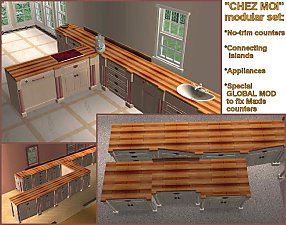
"Chez Moi" Modular Kitchen Set
by MaryLou & Numenor 21st Oct 2006 at 12:09am
"CHEZ MOI" MODULAR KITCHEN SET by MaryLou & Numenor If you liked the "CounterCulture" Modular set more...
-
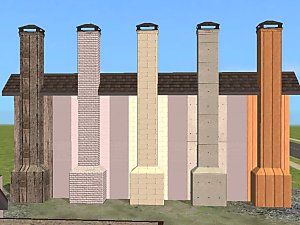
Recoloured chimneys (EP-ready)
by Numenor 23rd Jan 2005 at 1:32am
:new: 06 Mar 2005: All recolours are now EP-ready + Added "Old Bricks" recolour from Trashed Set 25 Jan more...
77
59.8k
63
-
La Pyramide Inversée - § 45,258 - 2BDR/1BTR
by Numenor 2nd Dec 2005 at 10:04am
Type: Residential - Cost: § 45,258 - Furnished: fully - Lot: 3x2 - 2 Bedrooms, 1 Bathroom, Kitchen, Living, "Leisure" more...
76
55k
42
-
"Way Coolinary" Modular Kitchen Set - UPD 16JULY07
by MaryLou & Numenor 21st Oct 2006 at 12:08am
"Way Coolinary" MODULAR KITCHEN SET by MaryLou & Numenor University EP required If you liked more...
-
Invisible Water from Sprinkles - Global Hack - *Seasons Required*
by Numenor 5th Mar 2007 at 10:36pm
INVISIBLE WATER FROM SPRINKLES GLOBAL HACK - SEASONS REQUIRED WARNING: this is a GLOBAL more...
+1 packs
23 32k 35 Seasons
-

Maxis "Lost & Found" #9: Waterfall & River (neighborhood effect) *UPD 30-APR*
by Numenor 29th Apr 2005 at 10:55pm
The Waterfall is a neighborhood object that Maxis (lord knows why) decided to exclude from the catalog. more...
224
258.1k
367
Miscellaneous » Neighborhoods & CAS Screens » Neighbourhood Deco
-
Maxis "Lost & Found" #3: Five Studio Lamps *UPD 08feb08*
by Numenor 27th Dec 2004 at 8:25pm
MAXIS LOST & FOUND #3: FIVE "STUDIO" LAMPS :new: UPDATED 08 FEB 2008: added four more lamps :new: more...
77
127.2k
196


About Me
You may contact me via personal messages here at MTS, and I will reply, but I don't grant I can help you, as a long time has gone by since I created my mods.
This following policy applies to ALL my creations, unless otherwise stated on the download thread.
It's FORBIDDEN: to repost my stuff anywhere.
It's FORBIDDEN: to clone my creations.
It's ALLOWED: to create recolours for my objects (and post them on any site, including paysites), BUT you can't include the mesh in your recolour: you must give credits to me for the mesh, and provide a link to the mesh download thread.
It's ALLOWED: to include my creations in your lots, BUT the lots must be uploaded on free sites (except the Exchange), and you must provide credits and a link to the download thread.