
 Sign in to Mod The Sims
 Reunited--3 poses
 Reunited--3 poses


Screenshot-2815.jpg - width=1360 height=768
Screenshot-2816.jpg - width=1360 height=768
Screenshot-2819.jpg - width=1360 height=768
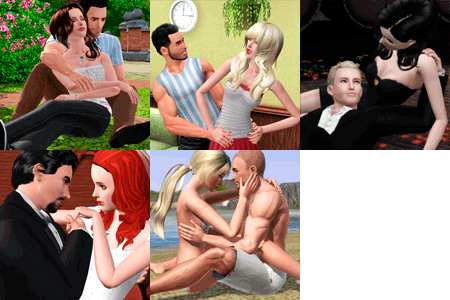
Pose tags are as follows:
a_splad_reunited1: This is a close contact embrace. Use this for smaller/more slender sims.
a_splad_reunited1b: This embrace is more open to accommodate muscles/clothing meshes. Use this for larger/more built sims.
a_splad_reunited2: Standing kiss.
This set was originally conceived using a desk, but it works fine on tables as well. Poses 1/1b may warp the seated sim's clothes.
And as always, you'll need to place the sims using "moveobjects on." They'll tangle up afterwards, but this is okay! Direct them to walk away from each other and all will be well.
Additional Credits: S3PE Milkshape
|
Reunited.rar
Download
Uploaded: 4th May 2018, 25.1 KB.
9,339 downloads.
|
||||||||
| For a detailed look at individual files, see the Information tab. | ||||||||
Install Instructions
1. Click the download button, or the filename, to download the file to your computer.
2. Extract the zip, rar, or 7z file. Now you will have either a .package or a .sims3pack file.
For Package files:
1. Cut and paste the file into your Documents\Electronic Arts\The Sims 3\Mods\Packages folder. If you do not already have this folder, you should read the full guide to Package files first: Sims 3:Installing Package Fileswiki, so you can make sure your game is fully patched and you have the correct Resource.cfg file.
2. Run the game, and find your content where the creator said it would be (build mode, buy mode, Create-a-Sim, etc.).
For Sims3Pack files:
1. Cut and paste it into your Documents\Electronic Arts\The Sims 3\Downloads folder. If you do not have this folder yet, it is recommended that you open the game and then close it again so that this folder will be automatically created. Then you can place the .sims3pack into your Downloads folder.
2. Load the game's Launcher, and click on the Downloads tab. Find the item in the list and tick the box beside it. Then press the Install button below the list.
3. Wait for the installer to load, and it will install the content to the game. You will get a message letting you know when it's done.
4. Run the game, and find your content where the creator said it would be (build mode, buy mode, Create-a-Sim, etc.).
Extracting from RAR, ZIP, or 7z: You will need a special program for this. For Windows, we recommend 7-Zip and for Mac OSX, we recommend Keka. Both are free and safe to use.
Need more help?
If you need more info, see:
- For package files: Sims 3:Installing Package Fileswiki
- For Sims3pack files: Game Help:Installing TS3 Packswiki
Loading comments, please wait...


Uploaded: 4th May 2018 at 3:52 AM
#couple's pose, #couple's poses, #hug pose, #hug poses, #kiss pose, #kiss poses


-
The Boss: Late Night Skinny Tie Alteration. Default/Non-Default.
by spladoum 3rd Nov 2014 at 11:58am
So for the longest time, I've been wondering why all of the ties in the game were either hand-painted, or more...
 +1 packs
14 29.8k 88
+1 packs
14 29.8k 88 Late Night
Male » Everyday » Young Adult
-
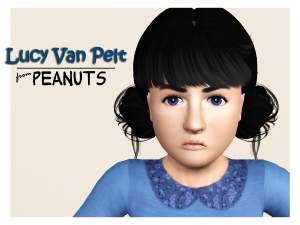
Lucy Van Pelt -- from "Peanuts"
by spladoum 11th Jan 2016 at 5:57pm
For the January item theme of "Tv/Film/Movies," I give you Lucy Van Pelt, of the "Peanuts" comic, (in)famous more...
5
14.6k
26
-
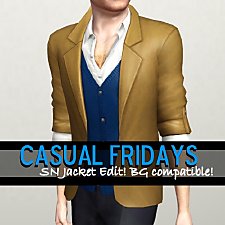
Casual Fridays--Supernatural Jacket Edit. Base Game Compatible!
by spladoum 5th Jul 2014 at 1:47am
A casual, versatile top for guys. more...
54
65.2k
338
Male » Everyday » Young Adult
-
Wub U Daddy--10 adult/toddler poses
by spladoum 16th May 2016 at 12:26am
This is a set that I made based on some very cute photos I've seen of my friends and their more...
9
33.5k
64
-
Hello Sweetie--Fairy Hair Deflowered, for toddlers through elders
by spladoum 29th Sep 2013 at 4:11pm
A classic. Without all those twigs and weeds stuck in it. more...
18
21k
74
Hair » Female » Young Adult
-


-
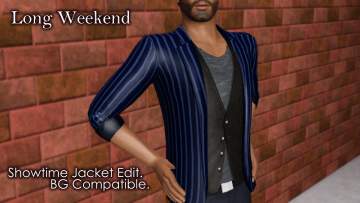

Long Weekend--Showtime Jacket Edit. Base Game Compatible!
by spladoum 21st Jul 2014 at 12:07pm
Need to go from work to play in a flash? Here's your ticket! more...
8
16.9k
66
Male » Everyday » Young Adult
-
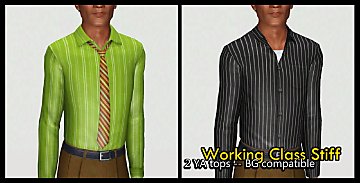
Working Class Stiff -- 2 BG compatible tops
by spladoum 1st Aug 2016 at 3:17am
Back again with more office-wear type clothing for guys, because YAY OFFICE DRONES :lovestruc This time it's a more...
10
16.6k
48
Male » Everyday » Young Adult
-

-
by spladoum 26th Nov 2013 at 10:55pm
Just in time for winter, cuz baby it's cold outside! more...
55
79.8k
536
Male » Everyday » Young Adult

