
 Sign in to Mod The Sims
 I Love Retro! (Part 2)
 I Love Retro! (Part 2)


ILR-houseshoes-recolor.jpg - width=1000 height=340
ILR-housedress.jpg - width=697 height=725
ILR-housedress2.jpg - width=697 height=725
ILR-housedress-details.jpg - width=1000 height=563
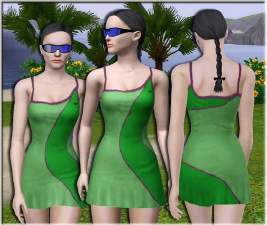
ILR-housedress-recolor.jpg - width=937 height=658
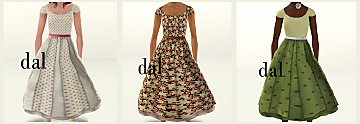
ILR-housedress-recolor2.jpg - width=317 height=723

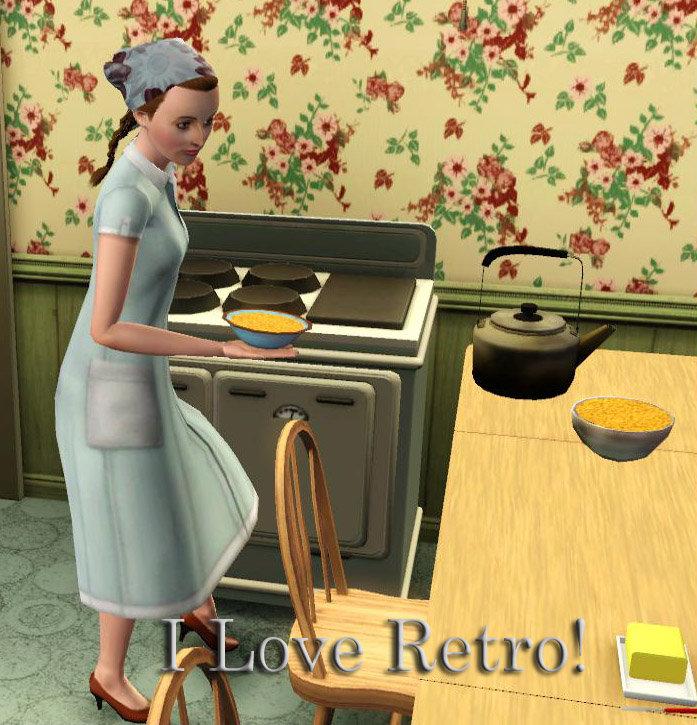
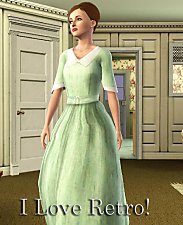
The husband has left for work and the kids have gone off to school! Before you head out to the stores, there's some house work to be done! Every good house wife has a house dress to throw on when cleaning up. You wouldn't want to ruin your good shopping dress would you?
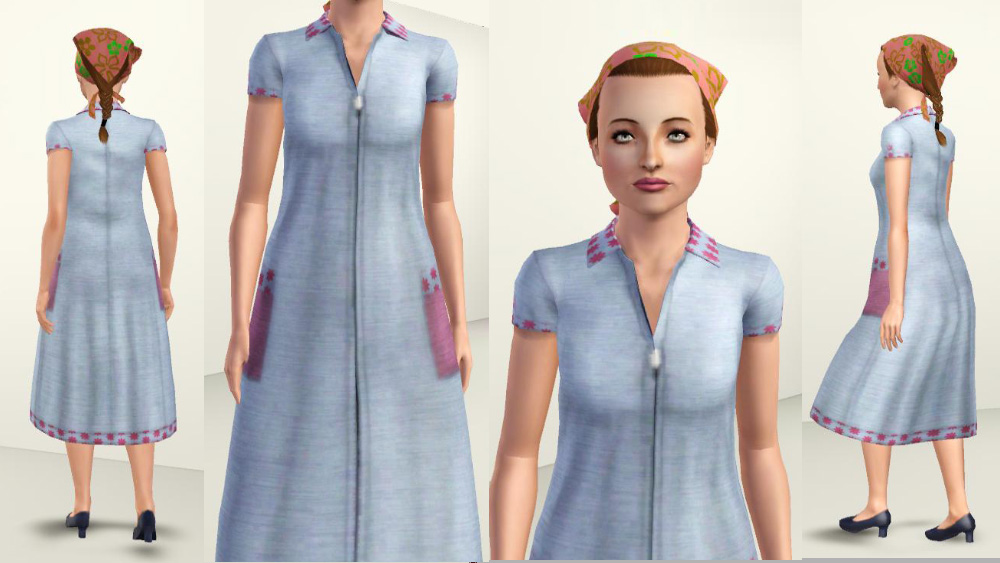
The house dress is a simple zip-up frock. It's loose fitting and almost formless, to give that domestic look!
There are three channels: Dress, collar/sleeve/pocket trim/hem and pockets/sleeve buttons.
The dress can be found in everyday, sleepwear and athletic*.
The House Shoes
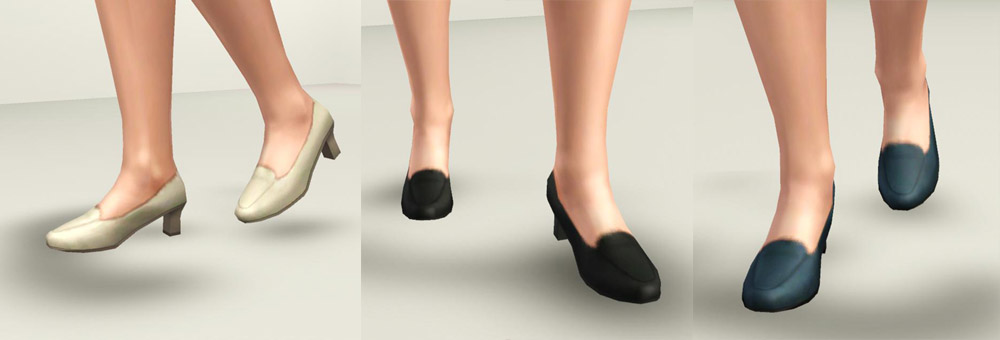
No matter what you're doing you can't just wear anything old thing around the house! A good 50s housewife prefers to look classy even while cleaning. So what better to go with a house dress than house shoes?
These plain dress shoes are just that...plain. The low heeled leather slip-ons are worn in just right to point where it feels like walking on air. Wearing these, your sim ladies can vacuum and cook in style!
The shoes are a reshape of EA's heeled loafers, made to have smaller feet and a rounder toe. They have two channels: main shoe and heel.
The shoes are found in everyday, formal and athletic*.
----------------------------
All items have custom thumbnails for easy identification in CAS.
Everything is for adult/YA females! Elder and Teen versions coming at a later date.
All meshes have proper morph states and have been fully tested with EA sliders, slider hacks and custom sliders.
*Why athletic you ask? I intended for this collection to be a complete A-Z set for my sims and the house dress was going to "fake" as the athletic outfit. These are not set for random townie use so you don't have to worry about game generated sims swimming in shoes or something silly like that.
Want more retro?
Check out part 1 and part 3.
Polygon Counts:
House Dress - 4004 polys / 2630 vertices
Shoes - 472 polys / 390 vertices
Additional Credits:
Thanks to everyone in chat for pointing out things I needed to work on.
This is a new mesh, and means that it's a brand new self contained object that usually does not require a specific Pack (although this is possible depending on the type). It may have Recolours hosted on MTS - check below for more information.
|
daluved1_ILoveRetro-HouseDress.rar
Download
Uploaded: 15th Jan 2011, 809.1 KB.
12,020 downloads.
|
||||||||
|
daluved1_ILoveRetro-PlainDressShoes.rar
Download
Uploaded: 15th Jan 2011, 132.9 KB.
11,938 downloads.
|
||||||||
| For a detailed look at individual files, see the Information tab. | ||||||||
Install Instructions
1. Click the download button, or the filename, to download the file to your computer.
2. Extract the zip, rar, or 7z file. Now you will have either a .package or a .sims3pack file.
For Package files:
1. Cut and paste the file into your Documents\Electronic Arts\The Sims 3\Mods\Packages folder. If you do not already have this folder, you should read the full guide to Package files first: Sims 3:Installing Package Fileswiki, so you can make sure your game is fully patched and you have the correct Resource.cfg file.
2. Run the game, and find your content where the creator said it would be (build mode, buy mode, Create-a-Sim, etc.).
For Sims3Pack files:
1. Cut and paste it into your Documents\Electronic Arts\The Sims 3\Downloads folder. If you do not have this folder yet, it is recommended that you open the game and then close it again so that this folder will be automatically created. Then you can place the .sims3pack into your Downloads folder.
2. Load the game's Launcher, and click on the Downloads tab. Find the item in the list and tick the box beside it. Then press the Install button below the list.
3. Wait for the installer to load, and it will install the content to the game. You will get a message letting you know when it's done.
4. Run the game, and find your content where the creator said it would be (build mode, buy mode, Create-a-Sim, etc.).
Extracting from RAR, ZIP, or 7z: You will need a special program for this. For Windows, we recommend 7-Zip and for Mac OSX, we recommend Keka. Both are free and safe to use.
Need more help?
If you need more info, see:
- For package files: Sims 3:Installing Package Fileswiki
- For Sims3pack files: Game Help:Installing TS3 Packswiki
Loading comments, please wait...


Uploaded: 15th Jan 2011 at 12:14 PM
-
-
-
-
-
-
by daluved1 15th Jan 2011 at 12:14pm
 28
95.2k
202
28
95.2k
202
Female » Mixed Sets » Adult
-
by daluved1 15th Jan 2011 at 12:14pm
30
180k
312
Female » Mixed Sets » Adult
-
-
UPDATED/Traditional Japanese clothing set
by -Mallow- updated 30th Dec 2011 at 11:56am
138
307.5k
932
-
by HystericalParoxysm 25th Jul 2014 at 11:13pm
32
60.4k
200

-
Medieval Blacksmith - Deco Objects - Ye Olde Kingdom of Pudding
by The Merrye Makers 20th Dec 2011 at 11:27am
Medieval blacksmith decorative objects made by Hekate999 for The Merrye Makers. more...
8
56.5k
116
-
-
The Voodoo Queen: Marie Laveau
by daluved1 27th Dec 2010 at 4:00pm
Three x's and a little pound cake can bring you good luck. more...
21
28.4k
25
-
Medieval Weaving Loom (Dresser) - Ye Olde Kingdom of Pudding
by The Merrye Makers 15th Jan 2012 at 11:34am
A medieval Weaving Loom which functions as a working dresser. Made by Hekate999 for The Merrye Makers. more...
10
66.5k
140
-

-
Just Soap: 100% Functional Soap for Your Sims
by daluved1 updated 29th Oct 2011 at 8:38pm
100% Functional Soap for Your Sims more...
59
84.9k
336
-
-
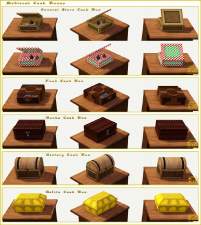
Medieval Cash Registers - Ye Olde Kingdom of Pudding
by The Merrye Makers 1st Jan 2012 at 4:23pm
Community Objects Cash Boxes/Registers made by Hekate999 for The Merrye Makers. Only the General Store register is recolourable. more...
+1 packs
11 43.9k 106 World Adventures
-


Daluved1's Bright Eye Default/Contacts
by daluved1 updated 20th Sep 2009 at 4:52pm
So, stepping out of my comfort zone, I branched into something a little different. more...
-
Medieval Centred Leadlight Door - Ye Olde Kingdom of Pudding
by The Merrye Makers 28th Jan 2012 at 9:31pm
A centred door and arch to match the base game leaded windows more...
13
44.8k
119

About Me
Because my policy is really inconsistent on my uploads, I've decided to make an official policy! So whatever you see here on my profile is my current policy. You may disregard any ''policy'' information you see on the actual upload itself.
-You may use my creations with sims
-You may use my objects with lots.
-You may retexture my meshes.
-You may include my meshes with retextures.
-You may NOT upload my creations with sims
-You may NOT upload my objects with lots.
-You may NOT upload my creations to paysites.
-You may NOT upload my creations to the exchange.
-Always credit me with a link
-I do NOT take requests!