
 Sign in to Mod The Sims
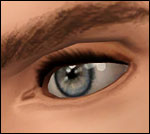
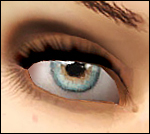
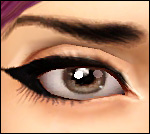
 Yes I am eyeing you up, Conversion of Sarha's eyes
 Yes I am eyeing you up, Conversion of Sarha's eyes


Screenshot-2238.jpg - width=640 height=364
Screenshot-2241.jpg - width=640 height=364
Screenshot-2242.jpg - width=640 height=364
Screenshot-2243.jpg - width=640 height=364
Screenshot-2248.jpg - width=800 height=455
I'd like to defaults eventually but I failed that tutorial

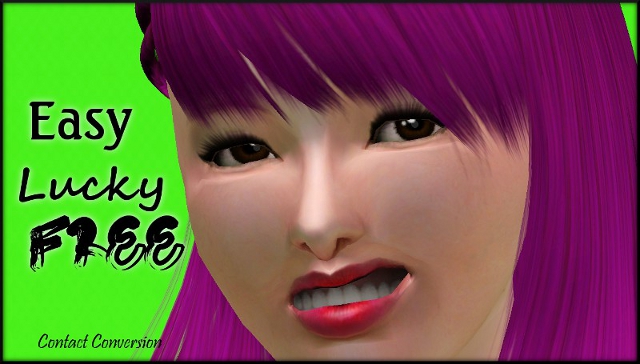
All ages, M/F. Categorized as costume makeup, 3 color channels (main eye color, glare and that variation in color that you can see at the bottom of the iris)
Additional Credits:
Sarha/Phobia obviously for having a free converting/recolor policy
|
Robodl95_Phobia eye conversion.rar
Download
Uploaded: 16th Jan 2011, 143.2 KB.
917 downloads.
|
||||||||
| For a detailed look at individual files, see the Information tab. | ||||||||
Install Instructions
1. Click the download button, or the filename, to download the file to your computer.
2. Extract the zip, rar, or 7z file. Now you will have either a .package or a .sims3pack file.
For Package files:
1. Cut and paste the file into your Documents\Electronic Arts\The Sims 3\Mods\Packages folder. If you do not already have this folder, you should read the full guide to Package files first: Sims 3:Installing Package Fileswiki, so you can make sure your game is fully patched and you have the correct Resource.cfg file.
2. Run the game, and find your content where the creator said it would be (build mode, buy mode, Create-a-Sim, etc.).
For Sims3Pack files:
1. Cut and paste it into your Documents\Electronic Arts\The Sims 3\Downloads folder. If you do not have this folder yet, it is recommended that you open the game and then close it again so that this folder will be automatically created. Then you can place the .sims3pack into your Downloads folder.
2. Load the game's Launcher, and click on the Downloads tab. Find the item in the list and tick the box beside it. Then press the Install button below the list.
3. Wait for the installer to load, and it will install the content to the game. You will get a message letting you know when it's done.
4. Run the game, and find your content where the creator said it would be (build mode, buy mode, Create-a-Sim, etc.).
Extracting from RAR, ZIP, or 7z: You will need a special program for this. For Windows, we recommend 7-Zip and for Mac OSX, we recommend Keka. Both are free and safe to use.
Need more help?
If you need more info, see:
- For package files: Sims 3:Installing Package Fileswiki
- For Sims3pack files: Game Help:Installing TS3 Packswiki
Loading comments, please wait...

Uploaded: 16th Jan 2011 at 11:39 AM
-
-
-
EYES for eye-coholics! CONTACTS - 2 styles
by -Shady- 29th Oct 2010 at 1:55pm
-
Loneliness Eyes as contacts TS3 Version
by Goldeneyes 21st Nov 2010 at 9:38pm
-
Intensity Eyes as Contacts and Defaults
by Goldeneyes 28th Jan 2011 at 11:39am
-
-
Lonely Eyes - Contacts *Defaults Updated
by -Shady- updated 5th Jan 2012 at 4:34pm
-
-
-

-
-
Medieval Armoury Part 1 - Ye Olde Kingdom of Pudding
by The Merrye Makers 14th Dec 2011 at 5:19am
Decorative Medieval Weapons and Storage more...
 18
63.2k
149
18
63.2k
149
-
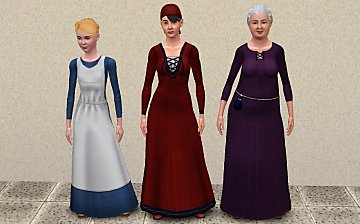
Simdom Garment Shoppe (More Medieval Dresses) - Ye Olde Kingdom of Pudding
by The Merrye Makers 17th Jul 2013 at 6:07pm
Three more medieval dresses - for female teens, adults, and elders - by The Merrye Makers. Adult dresses have pregnancy morphs. more...
24
73.5k
226
Female » Mixed Sets » Adult
-
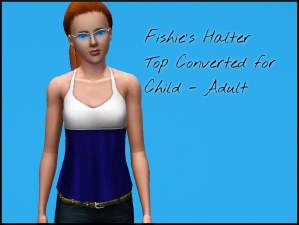
Fishie's Halter Top Conversion
by Robodl95 25th Oct 2010 at 11:05am
A simple versatile top for child - adult more...
7
25.1k
54
-
-
The Medieval Kitchen Part 1 - Ye Olde Kingdom of Pudding
by The Merrye Makers 7th Jan 2012 at 2:24am
A sink, stove, refrigerator, and two decorative cooking pots for medieval castle kitchens. Made by Hekate999 for The Merrye Makers. more...
25
91.2k
210
-
Medieval Big Water Wheel & Windmill Blades - Ye Olde Kingdom of Pudding
by The Merrye Makers 8th Dec 2011 at 1:46pm
The Quick Tick Wall Clock was used to make the Medieval Big Water Wheel and Windmill Blades actually turn. more...
19
38.4k
93
-
by Robodl95 8th Sep 2010 at 5:30am
Savio's Anto 77 retextured. more...
19
79.1k
194
Hair » Female » Young Adult
-
Medieval Crowns, Circlets, and Hat Hair - Ye Olde Kingdom of Pudding
by The Merrye Makers 9th Dec 2011 at 5:57pm
Ye Olde Kingdom of Pudding CAS Medieval Accessories Crowns, Circlets, and Hat Hair Greetings, good gentles/ladies. more...
38
90.4k
177
-
Medieval Blacksmith - Forge - Ye Olde Kingdom of Pudding
by The Merrye Makers 19th Dec 2011 at 7:49am
From swords to fish hooks for anglers, Ye Olde Kingdom of Pudding blacksmiths used this forge to make anything metal. more...
9
49.9k
103
About Me
Please check out my blog: http://lookaplumbob.blogspot.com/
My Policy
- Free sites only (do not even use my items on your models if it is a pay site)
- Be respectful (Do not say you made it)
- Give credit to me and the original creator (depending on the item in question)
- No need to give credit when just using in a story/movie but it is appreciated :)
- Feel free to retexture
- Anything else just ask, I'm sure I'll say yes :)
- Retexturing, converting and stuff like that is all totally fine, just don't claim as your own.
Requests
Yes I do take requests, however you must understand that I am busy with life and other sim projects so I may not be the timeliest.
- I will respond and tell you if I can do it (to get a general idea look around the site to see what I normally do such as age conversions, paintings, t-shirts, retextures, etc.)
- Please tell me how urgently you need it done ("I really need this for a story I'm doing" takes higher priority than "Could you do this? I think it'd be cool")
- One request per person at a time (I'll be lenient if it's urgent though)