
 Sign in to Mod The Sims
 Diner Tables/Chair [CEP-Extra]
 Diner Tables/Chair [CEP-Extra]


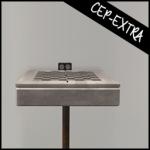
diner-cep.jpg - width=256 height=256
diner-chair.jpg - width=1280 height=800
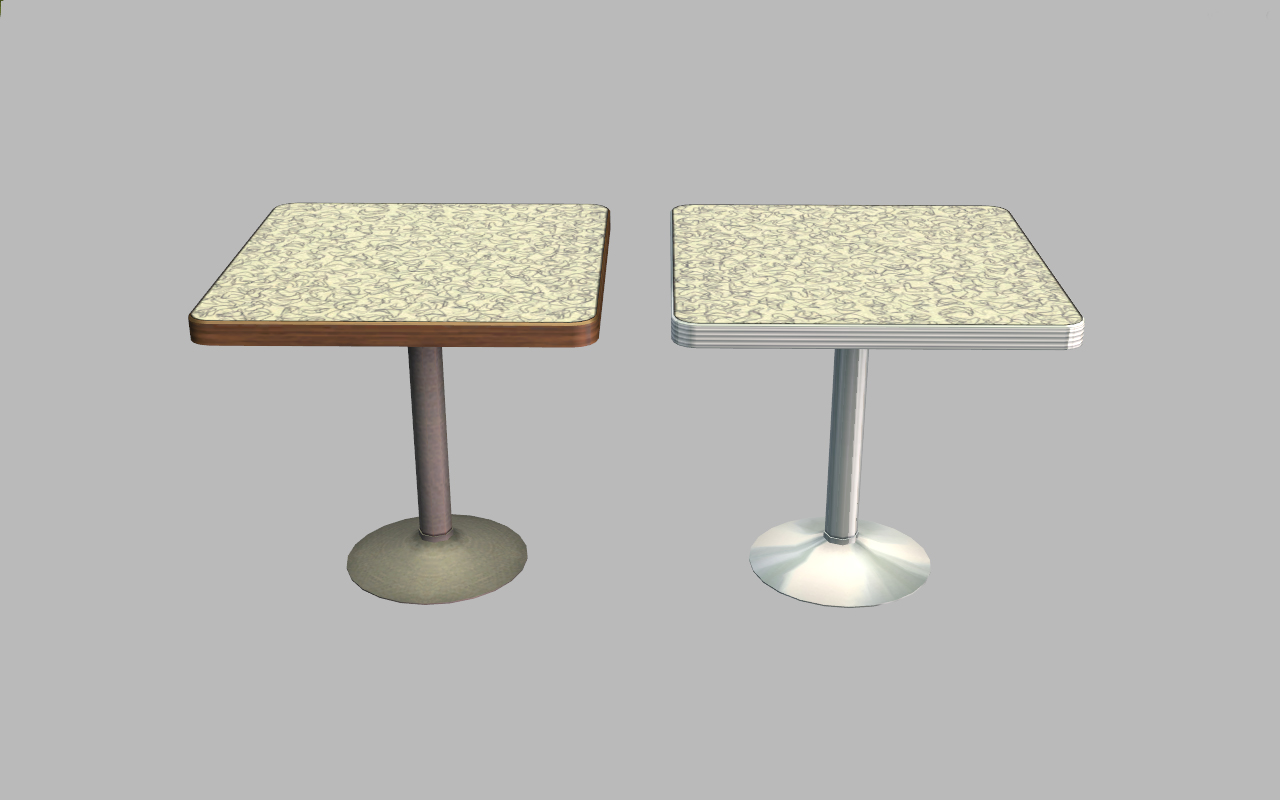
diner-table-x1.jpg - width=1280 height=800
diner-table-x2.jpg - width=1280 height=800
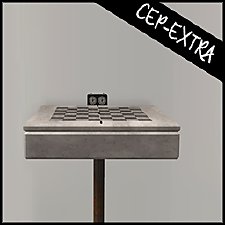
diner-barstool.jpg - width=800 height=800

- added a second subset to the chair, all existing recolors will work for the seat/back.
- added a second subset to both tables, all existing recolors will work for the tabletop
- added a Lost & Found recolor for the tablebase - it's the dark base with brown edge
- added second subset to barstool
*note that the table edge is part of the table base group
 Conflicts
*allow shasta_CEP_nl_dinertables to override the original by shasta
*this will conflict with gabilie123 CEP for these objects. I did my own as I found their new subsets inefficient as they had to make new recolors to account for the lost seat colors. It's possible their tablebase recolors will work with my CEP, I didn't check.
 Installation
HL_CEP_nl_DinerTablese-pfiles - Install this in C:\Program Files (x86)\EA GAMES\The Sims 2\TSData\Res\Catalog\zCEP-EXTRA.
HL_CEP_nl_DinerTables - Install this in \Documents\EA Games\The Sims 2\zCEP-EXTRA
shasta_CEP_nl_dinertables - Install this in \Documents\EA Games\The Sims 2\zCEP-EXTRA
|
HL_CEP_nl_DinerTables.7z
Download
Uploaded: 25th Jun 2021, 1.9 KB.
2,099 downloads.
|
||||||||
|
HL_CEP_nl_dinerBarstool.7z
Download
Uploaded: 6th Jul 2020, 967 Bytes.
1,890 downloads.
|
||||||||
| For a detailed look at individual files, see the Information tab. | ||||||||
Install Instructions
1. Download: Click the download link to save the .rar or .zip file(s) to your computer.
2. Extract the zip, rar, or 7z file.
3. Place in Downloads Folder: Cut and paste the .package file(s) into your Downloads folder:
- Origin (Ultimate Collection): Users\(Current User Account)\Documents\EA Games\The Sims™ 2 Ultimate Collection\Downloads\
- Non-Origin, Windows Vista/7/8/10: Users\(Current User Account)\Documents\EA Games\The Sims 2\Downloads\
- Non-Origin, Windows XP: Documents and Settings\(Current User Account)\My Documents\EA Games\The Sims 2\Downloads\
- Mac: Users\(Current User Account)\Documents\EA Games\The Sims 2\Downloads
- Mac x64: /Library/Containers/com.aspyr.sims2.appstore/Data/Library/Application Support/Aspyr/The Sims 2/Downloads
- For a full, complete guide to downloading complete with pictures and more information, see: Game Help: Downloading for Fracking Idiots.
- Custom content not showing up in the game? See: Game Help: Getting Custom Content to Show Up.
- If you don't have a Downloads folder, just make one. See instructions at: Game Help: No Downloads Folder.
Loading comments, please wait...


 View with Names
Uploaded: 13th Jun 2020 at 11:06 AM
Updated: 25th Jun 2021 at 8:08 PM
-
by HugeLunatic 19th Jun 2017 at 4:17pm
 4
14k
22
4
14k
22
-
by gdayars 28th Oct 2017 at 12:10am
6
13.4k
30
-
by HugeLunatic updated 2nd Apr 2024 at 11:12am
+1 packs
8 26.4k 12 Apartment Life
-
by HugeLunatic updated 24th Jun 2021 at 10:40pm
+1 packs
14 24k 44 Kitchen & Bath
-
by HugeLunatic 1st Feb 2019 at 1:58pm
+1 packs
3 13k 28 Bon Voyage
-
by HugeLunatic updated 17th Sep 2019 at 8:48pm
+1 packs
8 11.6k 36 University
-
by HugeLunatic updated 30th Mar 2025 at 5:03pm
+1 packs
4 7k 22 Pets
Pets
-
Mr. Generic's Sign [CEP-Extra]
by HugeLunatic 25th Jun 2020 at 5:25pm
+1 packs
4 5.2k 12 Open for Business
-
-
by HugeLunatic updated 12th Nov 2022 at 6:28pm
+1 packs
3 3.3k 13 Free Time


-
by HugeLunatic 12th Jan 2009 at 4:19pm
A set of nine quilted beddings. more...
-
by HugeLunatic 30th Mar 2022 at 2:13pm
I really liked Loudini’s Chamber of Sprinkles, because...sprinkles. more...
+2 packs
4 4.1k 25 Glamour Life
 Seasons
-
by HugeLunatic 26th Aug 2007 at 6:00pm
Vibrant, teen oriented bedroom recolor of the Atomic Age set included in the Pets ep. more...
-
by HugeLunatic 18th Sep 2010 at 11:22pm
EA gave us three sizes of tiles with each one fully tiled, floor to ceiling. more...
 17
47k
117
17
47k
117
-
by HugeLunatic 18th Nov 2016 at 5:16pm
So round one of bribing y'all is having some positive effects. more...
10
26.9k
64
-
by HugeLunatic 3rd Nov 2010 at 7:15pm
Peony Heights Requires Late Night!! more...
+5 packs
16 28.4k 21 World Adventures
 High-End Loft Stuff
 Ambitions
 Fast Lane Stuff
 Late Night
-
Late Night - Buyable Mailbox and Trash Chute
by HugeLunatic 3rd Nov 2010 at 7:05pm
This requires Late Night! more...
+1 packs
97 172.7k 275 Late Night
-
by HugeLunatic updated 30th Oct 2022 at 6:30pm
The FT koi pond recolorable, with two subsets. The wood bits are one and the rocks/grass are another. more...
+1 packs
4 6.2k 20 Free Time
-
-
by HugeLunatic 16th Nov 2010 at 1:14am
Camp Willow is a residential, multi-family house. more...
+3 packs
16 23k 42 World Adventures
Ambitions
Late Night


Packs Needed
| Expansion Pack | |
|---|---|
| Nightlife |
About Me
Pet Stories || Dog Agility Items? || Castaway Stories || Holy Simoly Extras
4esf Archive || Holy Simoly Archive || CEP-Extras List || Buyable Game Objects
lunie content from GoS/s2a
Installation of CEP Extras-the package with pfiles appended to the name will go into your cep extras folder where your game is installed (typically c drive, you do you)
-the other goes in CEP extra folder in documents.
The following locations are what I am aware of, beyond that you'll have to do some searching.
Downloads Folder:
C:\Users\<user>\Documents\EA Games\The Sims 2 Legacy
C:\Users\<user>\Documents\EA Games\The Sims 2 Ultimate Collection
With multiple launchers, the location for your game install will vary.
C:\Program Files\EA GAMES\The Sims 2 Legacy\TSData\Res\Catalog\zCEP-EXTRA
C:\Program Files\EA GAMES\The Sims 2\TSData\Res\Catalog\zCEP-EXTRA
C:\Program Files (x86)\EA GAMES\The Sims 2\TSData\Res\Catalog\zCEP-EXTRA