
 Sign in to Mod The Sims
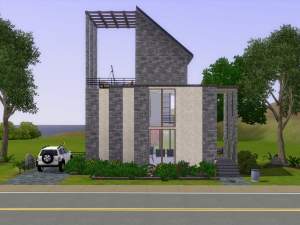
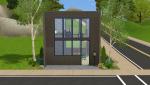
 Avery: A Working Bachelor's First Home
 Avery: A Working Bachelor's First Home


.jpg?cb=1628950927)
.jpg?cb=1628951001)
.jpg?cb=1628951015)


Front.jpg - width=1360 height=768
Front.jpg - width=1360 height=768
Back.jpg - width=1360 height=768
RoofFP.jpg - width=1360 height=768
GroundFP.jpg - width=1360 height=768
Front(2).jpg - width=1360 height=768
Back(2).jpg - width=1360 height=768
Back(3).jpg - width=1360 height=768
Entrance.jpg - width=1360 height=768
Living.jpg - width=1360 height=768
Kitchen-dining.jpg - width=1360 height=768
Pool.jpg - width=1360 height=768
Bath.jpg - width=1360 height=768
Bed.jpg - width=1360 height=768


.jpg?cb=1628950927)
.jpg?cb=1628951001)
.jpg?cb=1628951015)


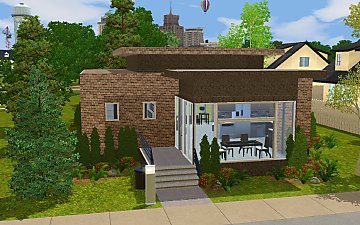
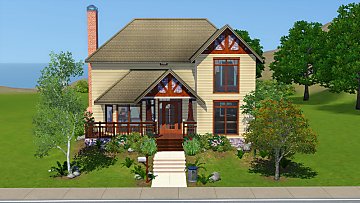
This is built on a 20x15 lot, with a price of §33071 (unfurnished) and §46671 (furnished). Decorated with mostly base game items and a number of items from EPs and SPs ticked, that are only required if wanted to look similar as in screenshots, with no custom content used. The lot is saved as .package, just place it in the Library folder (Documents\Electronic Arts\The Sims 3\Library) to install.
The following custom content is included in the downloadable files:
- Avery by aisquared
|
Avery.rar
Download
Uploaded: 14th Aug 2021, 1.29 MB.
1,606 downloads.
|
||||||||
| For a detailed look at individual files, see the Information tab. | ||||||||
Install Instructions
1. Click the filename or the download button to download the file to your computer.
2. Extract the zip, rar, or 7z file.
2. Select the .sims3pack file you got from extracting.
3. Cut and paste it into your Documents\Electronic Arts\The Sims 3\Downloads folder. If you do not have this folder yet, it is recommended that you open the game and then close it again so that this folder will be automatically created. Then you can place the .sims3pack into your Downloads folder.
5. Load the game's Launcher, and click on the Downloads tab. Select the house icon, find the lot in the list, and tick the box next to it. Then press the Install button below the list.
6. Wait for the installer to load, and it will install the lot to the game. You will get a message letting you know when it's done.
7. Run the game, and find your lot in Edit Town, in the premade lots bin.
Extracting from RAR, ZIP, or 7z: You will need a special program for this. For Windows, we recommend 7-Zip and for Mac OSX, we recommend Keka. Both are free and safe to use.
Need more help?
If you need more info, see Game Help:Installing TS3 Packswiki for a full, detailed step-by-step guide!
Loading comments, please wait...


 + 1 SPs
Uploaded: 14th Aug 2021 at 4:03 PM
#bachelor, #bachelor pad, #single, #mid century, #pool
-
by Sims3Addicted 28th Aug 2009 at 7:38pm
 8
24k
14
8
24k
14
-
Uno - Basegame Bachelor Pad - NO CC - by TVRdesigns
by TVRdesigns 19th Jun 2010 at 3:37pm
15
24.6k
36
-
-
by Raxzje 27th Sep 2011 at 12:28am
29
76.1k
149
-
by SimtasticBuilder 28th Oct 2011 at 2:05am
+4 packs
2 15.8k 9 Ambitions
 Late Night
 Outdoor Living Stuff
 Generations
-
-
-
-
by Wunschlose 2nd Jul 2015 at 2:36pm
10
19.6k
78
-
by simsgal2227 25th Dec 2015 at 4:48am
+3 packs
5 8.7k 24 Late Night
 Seasons
 Into the Future




-
-
2to3 IKEA EXPEDIT Standalone TV
by aisquared 19th Sep 2025 at 4:16pm
TS2 IKEA's "EXPEDIT TV Storage Unit" with only the TV converted and separated. Has one recolorable channel and one preset. more...
4
2k
7
-
-
-
Base Game Addons: Modern Office
by aisquared 28th Jan 2025 at 12:18pm
Some object edits to complement the base game's modern line of furniture. :here: Slimmer Penningway Bookshelf A slimmer version of the Penningway more...
5
4.2k
8
-


-
-
.jpg)
-
-
4to3 Casanova Cave Furniture and Decor
by aisquared 30th Jun 2025 at 1:22pm
Three pieces of funiture and two decor items from TS4's Casanova Cave kit. :here: Titanscreen 5000 One preset with three CAStable channels more...


Packs Needed
| Expansion Pack | |
|---|---|
| Late Night |
| Pets |
| Showtime |
| Seasons |
| University Life |
| Stuff Pack | |
|---|---|
| 70s, 80s and 90s Stuff |
About Me
for any questions and feedback feel free to PM me or contact my tumblr.