
 Sign in to Mod The Sims
 Beach Haven
 Beach Haven


beach01.jpg - width=1280 height=717
beach02.jpg - width=1280 height=717
beach03.jpg - width=609 height=1024
beach04.jpg - width=1251 height=896
beach05.jpg - width=1251 height=896
beach06.jpg - width=1251 height=896

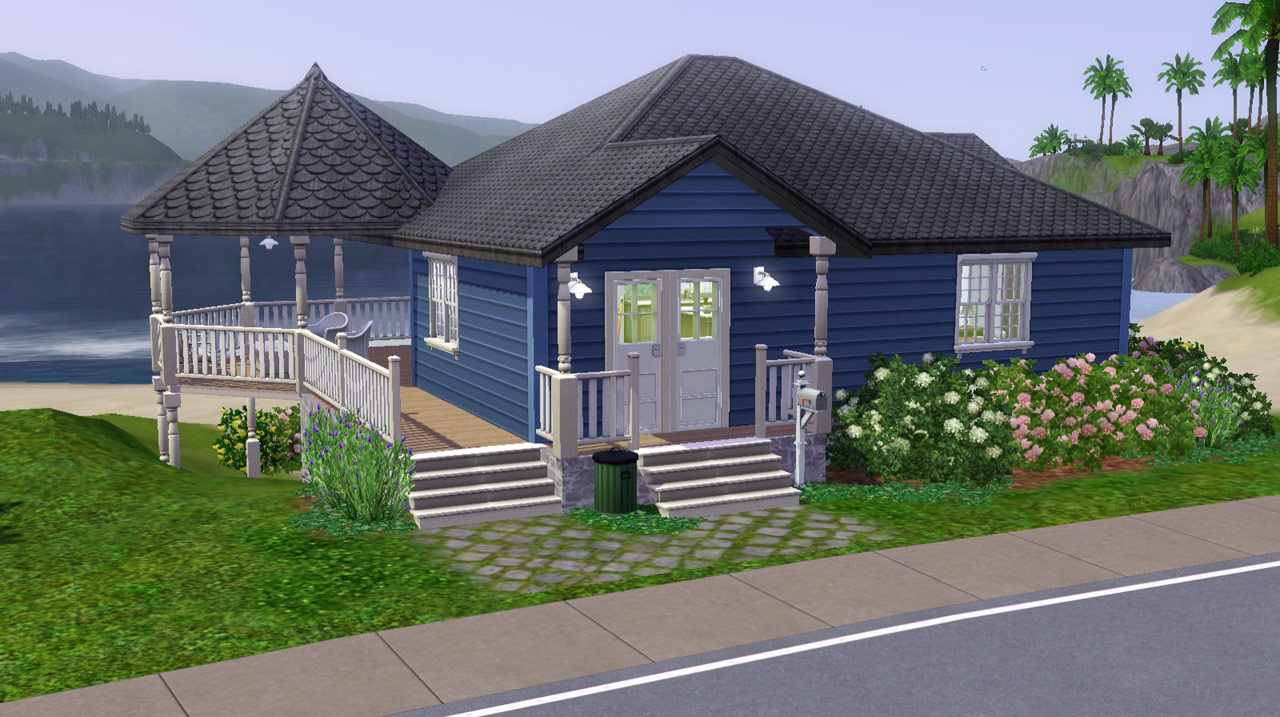
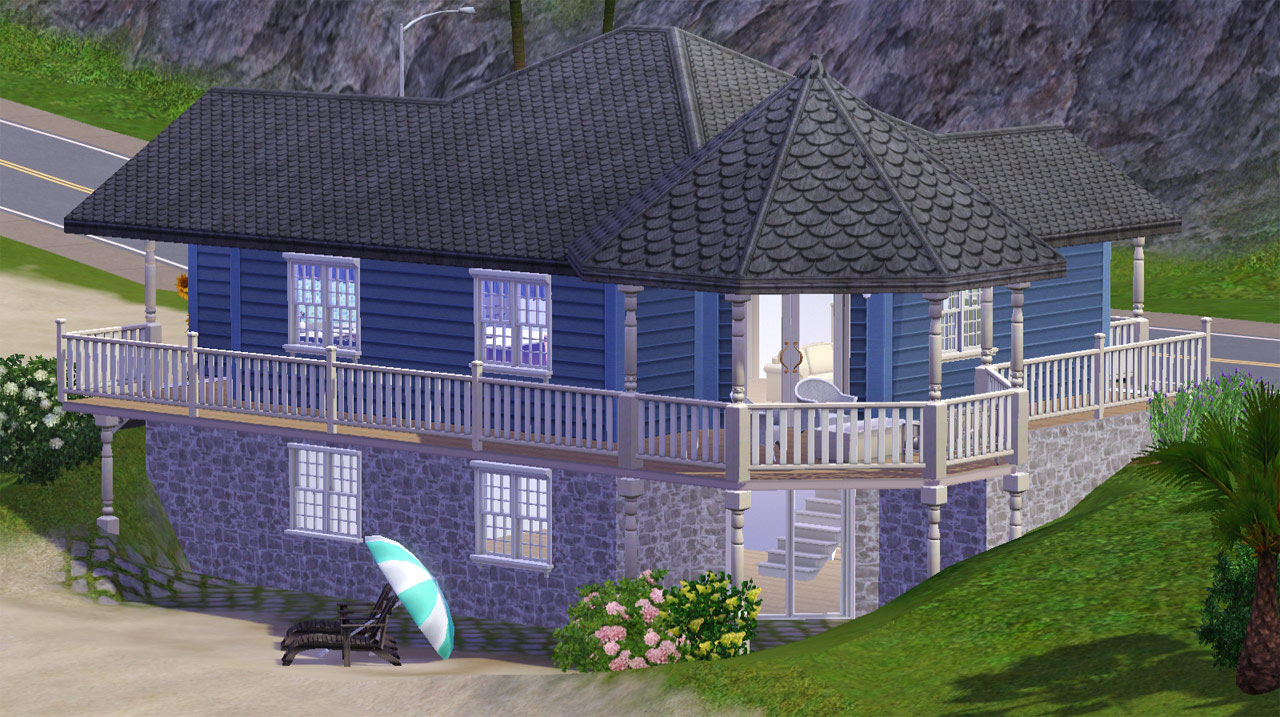
The lot is fully furnished on the main level and has an unfurnished lower level, just one large room. This can be expanded to add bedrooms and bathrooms or a large family play area. There isn't any clutter or much of any decorative stuff since my sims live in uncluttered houses just as I do. Just consider it ready for you to add your own personal touches.

Compatibility
The lot was made with Base, WA, HELS, and AMB installed. If you have the AMB patch installed for any of your games this lot will install fine, it just will be missing the build/buy/patterns from the other two EPs.
Lot Size: 2x2
Lot Price: F §33,276 / U §25,71
|
Beach HL_Haven.rar
Download
Uploaded: 13th Jul 2010, 1.22 MB.
1,778 downloads.
|
||||||||
| For a detailed look at individual files, see the Information tab. | ||||||||
Install Instructions
1. Click the filename or the download button to download the file to your computer.
2. Extract the zip, rar, or 7z file.
2. Select the .sims3pack file you got from extracting.
3. Cut and paste it into your Documents\Electronic Arts\The Sims 3\Downloads folder. If you do not have this folder yet, it is recommended that you open the game and then close it again so that this folder will be automatically created. Then you can place the .sims3pack into your Downloads folder.
5. Load the game's Launcher, and click on the Downloads tab. Select the house icon, find the lot in the list, and tick the box next to it. Then press the Install button below the list.
6. Wait for the installer to load, and it will install the lot to the game. You will get a message letting you know when it's done.
7. Run the game, and find your lot in Edit Town, in the premade lots bin.
Extracting from RAR, ZIP, or 7z: You will need a special program for this. For Windows, we recommend 7-Zip and for Mac OSX, we recommend Keka. Both are free and safe to use.
Need more help?
If you need more info, see Game Help:Installing TS3 Packswiki for a full, detailed step-by-step guide!
Loading comments, please wait...


 View with Names
Uploaded: 13th Jul 2010 at 5:52 AM
-
-
-
-
-
-
by Beccapixie10 14th Sep 2013 at 5:38am
 +1 packs
1 9.2k 18
+1 packs
1 9.2k 18 Ambitions
-
-
-
by RagdollVioletNeko 18th Jul 2025 at 5:03pm
+6 packs
1.6k 2 Ambitions
 Generations
 Town Life Stuff
 Pets
Pets
 Supernatural
 Seasons
-


-
by HugeLunatic 31st Oct 2016 at 2:31pm
Lord Darcy created Stuff Pack Fixes for AL/M&G to fix several objects in various SPs. more...
 +1 packs
8 15.9k 42
+1 packs
8 15.9k 42 Ikea Home
-
by HugeLunatic updated 14th Sep 2024 at 11:25pm
+1 packs
8 10.8k 18 Nightlife
-
by HugeLunatic 24th Feb 2018 at 6:49pm
Sometimes you need something a little bit less formal for your sims dining out experience. more...
+1 packs
14 9.5k 37 Nightlife
-

by HugeLunatic updated 26th Mar 2020 at 12:20pm
About Since I've installed UC it seems as though every time I start the game Origin thinks my more...
9
26.1k
32
-
by HugeLunatic 4th Oct 2013 at 3:25pm
In my latest round for the "It Takes A Village" contest I needed a table lamp to match a ceiling more...
+1 packs
9 9.9k 21 Teen Style
-
by HugeLunatic updated 30th Oct 2022 at 7:59pm
Thanks to MrsM'Quve for pointing out this blue recolor was just hanging out in the game files and nowhere more...
+1 packs
7 10.7k 27 Nightlife
-
by HugeLunatic 1st Jul 2015 at 2:10am
The "1 by 1" Designer Wall Sconce is a one shade, wall version of the base game "4 by 4" Designer Chandelier. more...
12
6.6k
22
-
by HugeLunatic 3rd Nov 2010 at 7:15pm
Peony Heights Requires Late Night!! more...
+5 packs
16 28.5k 21 World Adventures
 High-End Loft Stuff
Ambitions
High-End Loft Stuff
Ambitions
 Fast Lane Stuff
 Late Night
-

by HugeLunatic 19th Jun 2017 at 4:17pm
This makes the bowl and fruit separately recolorable. more...
4
14.1k
22
-
Mod 'ur Dig [custom diggables]
by HugeLunatic 18th Aug 2014 at 7:09pm
Ever wanted to to customize the objects your sims dig up? Or change the chance of what they dig more...
+1 packs
34 23.8k 47 Bon Voyage


Packs Needed
| Expansion Pack | |
|---|---|
| World Adventures |
About Me
Pet Stories || Dog Agility Items? || Castaway Stories || Holy Simoly Extras
4esf Archive || Holy Simoly Archive || CEP-Extras List || Buyable Game Objects
lunie content from GoS/s2a
 Installation of CEP Extras
-the package with pfiles appended to the name will go into your cep extras folder where your game is installed (typically c drive, you do you)
-the other goes in CEP extra folder in documents.
The following locations are what I am aware of, beyond that you'll have to do some searching.
Downloads Folder:
C:\Users\<user>\Documents\EA Games\The Sims 2 Legacy
C:\Users\<user>\Documents\EA Games\The Sims 2 Ultimate Collection
With multiple launchers, the location for your game install will vary.
C:\Program Files\EA GAMES\The Sims 2 Legacy\TSData\Res\Catalog\zCEP-EXTRA
C:\Program Files\EA GAMES\The Sims 2\TSData\Res\Catalog\zCEP-EXTRA
C:\Program Files (x86)\EA GAMES\The Sims 2\TSData\Res\Catalog\zCEP-EXTRA