
 Sign in to Mod The Sims
 Towel Wrap - LN
 Towel Wrap - LN


towelWrap01.jpg - width=1024 height=661
towelWrap02.jpg - width=1024 height=661

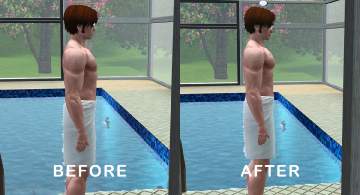
So this is for Emino - who wanted me to bribe poor fansee (with smex!zOMG!) to get her to make this for TS3. This mod simply takes those towels and makes them show up in the catalog. I chose to enable them for swimwear only, if you want them elsewhere in your catalog then feel free to edit for your own personal use.
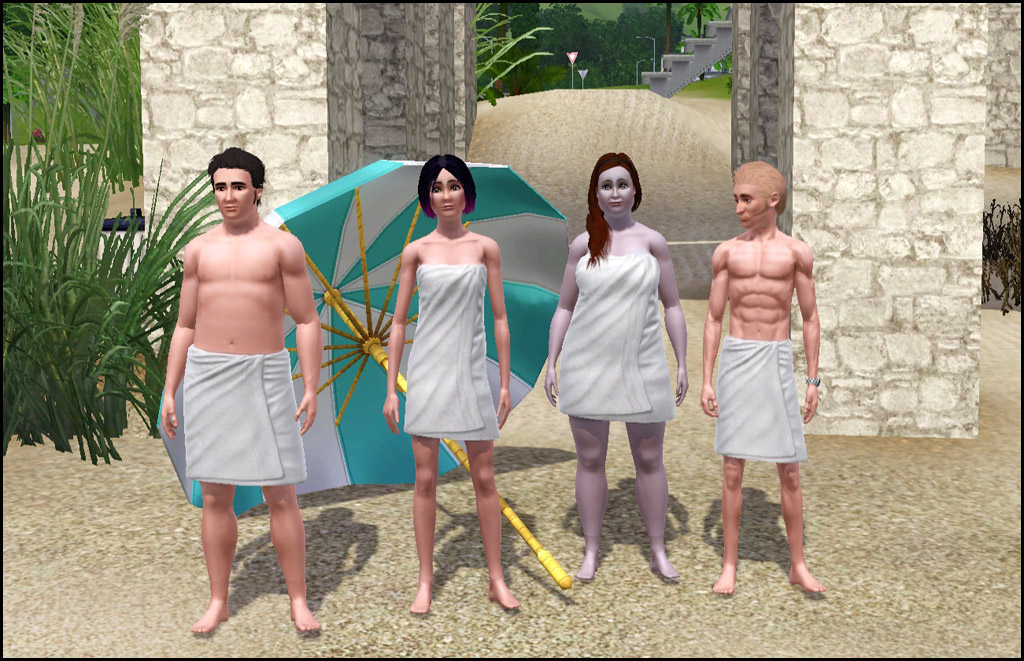
- Swimwear
- Two Channels - Same as game one
- Polys - Um...none. There is no mesh included. =)
- Appears to have all morphs for normal, fat, fit, thin
- NOT available for teens - If I figure out how to make a new mesh I will see what I can do
- NOT enabled for pregnant women - Appears to be no morph
Compatibility
This alters the CASP resource from Late Night to make it show up in swimwear and will conflict with any other mod that alters this specific resource.
|
HL_TowelWraps.rar
Download
Uploaded: 21st Nov 2010, 2.8 KB.
15,842 downloads.
|
||||||||
| For a detailed look at individual files, see the Information tab. | ||||||||
Install Instructions
1. Click the download button, or the filename, to download the file to your computer.
2. Extract the zip, rar, or 7z file. Now you will have either a .package or a .sims3pack file.
For Package files:
1. Cut and paste the file into your Documents\Electronic Arts\The Sims 3\Mods\Packages folder. If you do not already have this folder, you should read the full guide to Package files first: Sims 3:Installing Package Fileswiki, so you can make sure your game is fully patched and you have the correct Resource.cfg file.
2. Run the game, and find your content where the creator said it would be (build mode, buy mode, Create-a-Sim, etc.).
For Sims3Pack files:
1. Cut and paste it into your Documents\Electronic Arts\The Sims 3\Downloads folder. If you do not have this folder yet, it is recommended that you open the game and then close it again so that this folder will be automatically created. Then you can place the .sims3pack into your Downloads folder.
2. Load the game's Launcher, and click on the Downloads tab. Find the item in the list and tick the box beside it. Then press the Install button below the list.
3. Wait for the installer to load, and it will install the content to the game. You will get a message letting you know when it's done.
4. Run the game, and find your content where the creator said it would be (build mode, buy mode, Create-a-Sim, etc.).
Extracting from RAR, ZIP, or 7z: You will need a special program for this. For Windows, we recommend 7-Zip and for Mac OSX, we recommend Keka. Both are free and safe to use.
Need more help?
If you need more info, see:
- For package files: Sims 3:Installing Package Fileswiki
- For Sims3pack files: Game Help:Installing TS3 Packswiki
Loading comments, please wait...


 View with Names
Uploaded: 21st Nov 2010 at 12:13 AM
Updated: 26th Jun 2012 at 3:19 PM
#towels, #towelwrap, #swim towel, #luniegamefix
-
by RoguePilot 7th Jul 2009 at 5:59pm
-
by kuchikisan92 18th Jul 2009 at 11:02am
 59
138.1k
181
59
138.1k
181
-
-

by kuchikisan92 6th Aug 2009 at 7:25pm
22
91.2k
108
-
-
-
-
by Kiara24 11th Mar 2011 at 10:58am
12
27.4k
28
-
-
Developed Pectoral Muscles Morph for Male Nude Top (Part 4) - Towel Wrap
by MMAA 15th Dec 2021 at 8:35pm
+1 packs
5 6.1k 8 Late Night
Male » Mixed Sets » Adult


-


by HugeLunatic 19th Sep 2020 at 3:55pm
Recolors of the hobby plaques. There is a basic white/black wood recolor that isn't too dark or bright white. more...
 +1 packs
1 3.8k 23
+1 packs
1 3.8k 23 Free Time
-
by HugeLunatic 26th Feb 2011 at 8:12pm
After several weeks of head-to-desk banging (resulting in an odd bulge in my forehead) I give you...The Closure! more...
77
109.2k
315
-
by HugeLunatic 27th Feb 2014 at 4:56pm
I've always liked the style of this gate, but the lack of recolors and lack of proper subsets means I've more...
6
11.3k
21
-
Colonial Fireplace - TS3 Conversion
by HugeLunatic updated 8th Jul 2021 at 1:57pm
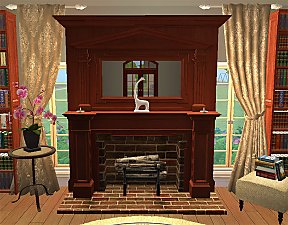
A friend had asked if this fireplace from TS3 could be converted to TS2, and well with something involving fireplaces more...
40
94k
191
-
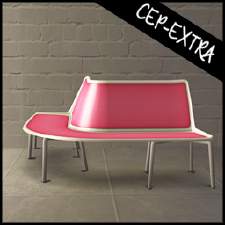
by HugeLunatic 8th May 2018 at 5:44pm
The Molded Sectional by WorldMold with added subset. This now makes the seat and frame recolorable separately. more...
+1 packs
7 10.7k 23 Nightlife
-
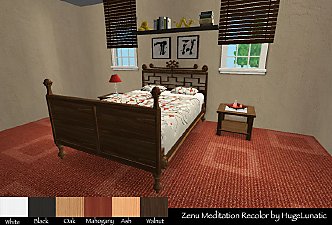
Base Game Maxis Match Bed Recolors
by HugeLunatic 12th Feb 2009 at 3:29pm
Five Maxis Base game beds recolored with 5 Maxis Match textures plus one of my own. more...
22
43.6k
94
-
by HugeLunatic 1st Jul 2015 at 2:10am
The "1 by 1" Designer Wall Sconce is a one shade, wall version of the base game "4 by 4" Designer Chandelier. more...
12
6.6k
22
-
Maxis Open Recolorable Stairs - Slaved
by HugeLunatic 6th Feb 2018 at 10:20pm
The last two Maxis stairs with open underneath versions. I think. more...
15
25.5k
70
-


by HugeLunatic 22nd Oct 2021 at 12:20pm
The arch from TS4 Romantic Garden made into a proper wedding arch. more...
6
6.5k
40
-
by HugeLunatic 12th Sep 2016 at 8:58pm
A community lot for friends and family to gather, socialize and play. more...
+17 packs
14 13.8k 26 Happy Holiday
 Family Fun
 University
 Glamour Life
Nightlife
Glamour Life
Nightlife
 Celebration
 Open for Business
 Pets
Pets
 H&M Fashion
 Teen Style
 Seasons
 Kitchen & Bath
 Bon Voyage
Free Time
Bon Voyage
Free Time
 Ikea Home
 Apartment Life
 Mansion and Garden


Packs Needed
| Expansion Pack | |
|---|---|
| Late Night |
About Me
Pet Stories || Dog Agility Items? || Castaway Stories || Holy Simoly Extras
4esf Archive || Holy Simoly Archive || CEP-Extras List || Buyable Game Objects
lunie content from GoS/s2a
 Installation of CEP Extras
-the package with pfiles appended to the name will go into your cep extras folder where your game is installed (typically c drive, you do you)
-the other goes in CEP extra folder in documents.
The following locations are what I am aware of, beyond that you'll have to do some searching.
Downloads Folder:
C:\Users\<user>\Documents\EA Games\The Sims 2 Legacy
C:\Users\<user>\Documents\EA Games\The Sims 2 Ultimate Collection
With multiple launchers, the location for your game install will vary.
C:\Program Files\EA GAMES\The Sims 2 Legacy\TSData\Res\Catalog\zCEP-EXTRA
C:\Program Files\EA GAMES\The Sims 2\TSData\Res\Catalog\zCEP-EXTRA
C:\Program Files (x86)\EA GAMES\The Sims 2\TSData\Res\Catalog\zCEP-EXTRA